

Share into app
Updated
Receive links and images shared from other apps.
- JavaScript:
window.AppSorcerer.shareInto - Plan: Essential — included in every plan
- Platforms: Android apps today. iOS support arrives with iOS builds (coming soon).
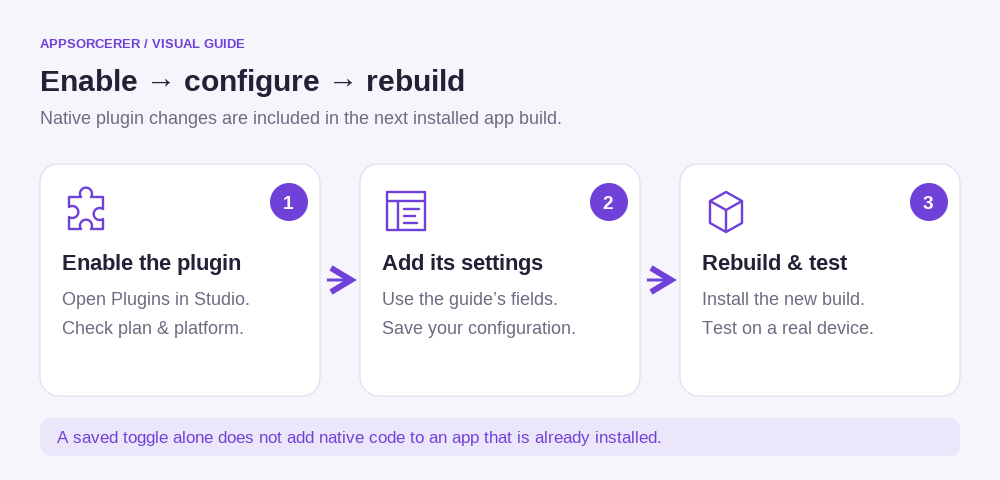
Turn the plugin on in App Studio → Plugins, fill in its settings, then rebuild your app. Websites call it through the JavaScript bridge.
Settings
| Studio label | Type | Default | Notes |
|---|---|---|---|
| Open this page with the shared content | text | – | |
| Accept images | toggle | true |
Setup
Nothing to configure. Your app appears in the phone's share sheet for text and links, and for images while Accept images is on.
JavaScript API
Every method returns a Promise. Call it as await AppSorcerer.shareInto.<method>(args).
| Method | Arguments | Resolves with |
|---|---|---|
getLastShare | – | the last share payload received in this app session, or null |
clearLastShare | – | null |
When something is shared, the app opens targetUrl (default /) with {text}, {url} and {title} replaced by URL-encoded values (e.g. /pages/shared?text={text}&url={url}), then emits share.received on that page.
Events
Listen with AppSorcerer.on('<event>', callback) (or the DOM event appsorcerer:<event>).
| Event | Data |
|---|---|
share.received | { text, url, title, type, images: [{ dataUrl, mimeType, originalMimeType, name, size, width, height }], imagesTruncated, receivedAt } |
url is the first http(s) link found in the shared text. Images are re-encoded as JPEG (max 1600 px, about 1.5 MB each), at most 5 images and about 6 MB of data URLs per share; imagesTruncated is true when some were dropped.
Errors
Rejections carry error.code: unknown_method.
Example
AppSorcerer.on('share.received', ({ text, url, images }) => {
  document.querySelector('#link').value = url || text;
  for (const img of images) addPreview(img.dataUrl);
});

// The event may fire before your listener is attached — read the last share too:
const last = await AppSorcerer.shareInto.getLastShare();
Notes
- If the app wasn't running, it opens on the share target page; if it was, it navigates there.
- Shares always reuse the running app instead of opening a second copy.