

Intercom
Updated
Native messenger with your Intercom inbox.
- JavaScript:
window.AppSorcerer.intercom - Plan: Business (premium) — included on plans with premium plugins, and you can try it free for 14 days
- Platforms: Android apps today. iOS support arrives with iOS builds (coming soon).
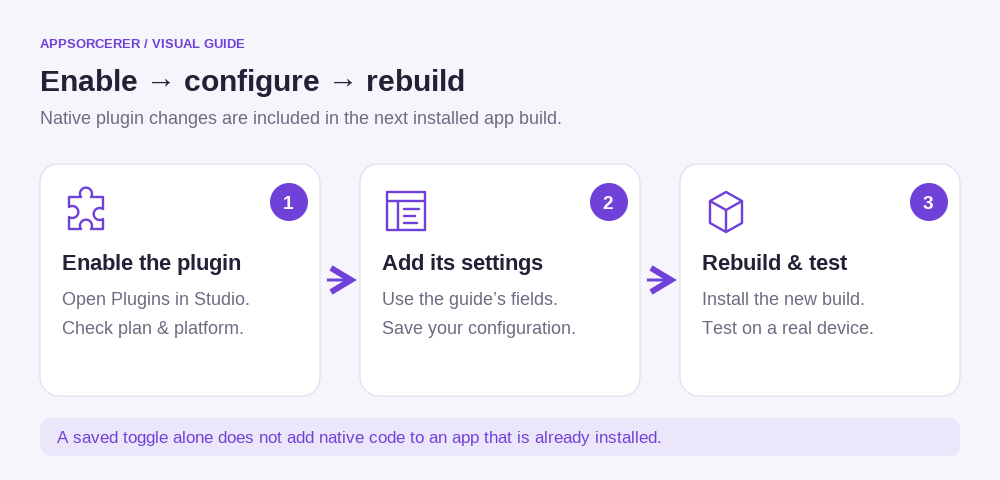
Turn the plugin on in App Studio → Plugins, fill in its settings, then rebuild your app. Websites call it through the JavaScript bridge.
Settings
| Studio label | Type | Default | Notes |
|---|---|---|---|
| Intercom app ID | text | – | required |
| Android API key | text | – | required |
| iOS API key | text | – | |
| Show the floating launcher | toggle | true |
Setup
Enter the Intercom app ID and Android API key (Intercom → Settings → Installation → Android). Visitors are registered as unidentified users at launch, so the messenger works before they sign in. Show the floating launcher controls the launcher. For identity verification, pass userHash (HMAC) or jwt to login.
Reply notifications
Customers get a notification when your team answers, also while the app is closed. This needs:
- Push Notifications → Setup → Built-in FCM with your app's google-services.json.
- In Intercom → Settings → Channels → Messenger → Install → Android → Push notifications: the Firebase Cloud Messaging credentials (service account JSON) of the same Firebase project.
The app hands Intercom's pushes to Intercom, which shows the notification with your app's notification icon and opens the conversation on tap. With OneSignal or no push provider the messenger works, without notifications.
JavaScript API
Every method returns a Promise. Call it as await AppSorcerer.intercom.<method>(args).
| Method | Arguments | Notes |
|---|---|---|
login | { userId?, email?, userHash?, jwt?, name?, phone?, attributes? } | identified user (unidentified when neither userId nor email) |
loginUnidentified | – | |
logout | – | registers a new unidentified visitor when the launcher is on |
isLoggedIn | – | { loggedIn } |
updateUser | { name?, email?, phone?, userId?, languageOverride?, customAttributes?: {} } | |
present | { space?: 'home' | 'messages' | 'helpCenter' | 'tickets' } | opens the messenger |
hide | – | |
setLauncherVisible / setInAppMessagesVisible | { visible } | |
setBottomPadding | { px } | move the launcher above your own bottom bar |
logEvent | { name, metadata? } | |
getUnreadCount | – | { count } |
Errors
Rejections carry error.code: not_configured, intercom_error, invalid_args, unknown_method.
Example
await AppSorcerer.intercom.login({ userId: customer.id, email: customer.email, userHash: customer.intercomHash });
document.querySelector('#help').onclick = () => AppSorcerer.intercom.present({ space: 'messages' });
Notes
- Reply notifications need Built-in FCM (see Reply notifications above).
- The Intercom SDK adds the notification and microphone (voice messages) permissions to your app.