

Native Contacts
Updated
Pick contacts for referrals and gift orders.
- JavaScript:
window.AppSorcerer.contacts - Plan: Plus (premium) — included on plans with premium plugins, and you can try it free for 14 days
- Platforms: Android apps today. iOS support arrives with iOS builds (coming soon).
- Android permissions:
READ_CONTACTS
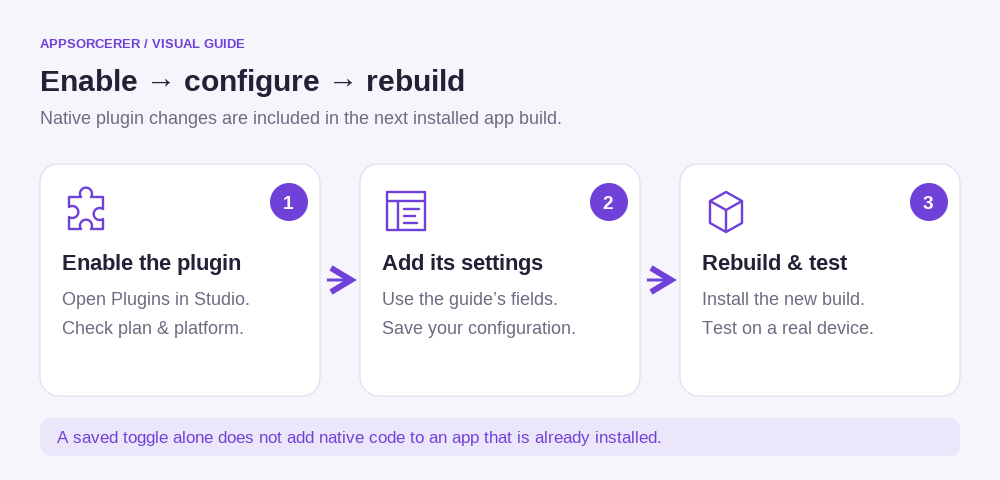
Turn the plugin on in App Studio → Plugins, fill in its settings, then rebuild your app. Websites call it through the JavaScript bridge.
Settings
| Studio label | Type | Default | Notes |
|---|---|---|---|
| Share these fields with the website | list | ["Name", "Phone", "Email"] | options: Name, Phone, Email, Address |
Setup
Nothing to configure beyond the fields to share. Only the fields enabled in Share these fields with the website (Name, Phone, Email, Address) are ever returned, even if the page asks for more.
JavaScript API
Every method returns a Promise. Call it as await AppSorcerer.contacts.<method>(args).
| Method | Arguments | Resolves with |
|---|---|---|
pick | { fields?: ('Name' | 'Phone' | 'Email' | 'Address')[] } | { id, name, givenName, familyName, phones: [{ number, type }], emails: [{ address, type }], addresses: [{ formatted, street, city, region, postcode, country, type }] } |
hasPermission | – | { granted } |
requestPermission | – | { granted } |
pick asks for READ_CONTACTS and opens the system contact picker. If the user declines the permission, a phone picker (or email picker) opens instead; it needs no permission and returns only the picked entry, with partial: true.
Errors
Rejections carry error.code: canceled, permission_denied, not_found, read_failed, busy, unavailable, invalid_args, unknown_method.
Example
const friend = await AppSorcerer.contacts.pick({ fields: ['Name', 'Phone'] });
document.querySelector('#gift-name').value = friend.name;
document.querySelector('#gift-phone').value = friend.phones[0]?.number ?? '';