
Haptics
Updated
Tap feedback for buttons, add-to-cart and success moments.
- JavaScript:
window.AppSorcerer.haptics - Plan: Essential — included in every plan
- Platforms: Android apps today. iOS support arrives with iOS builds (coming soon).
- Android permissions:
VIBRATE
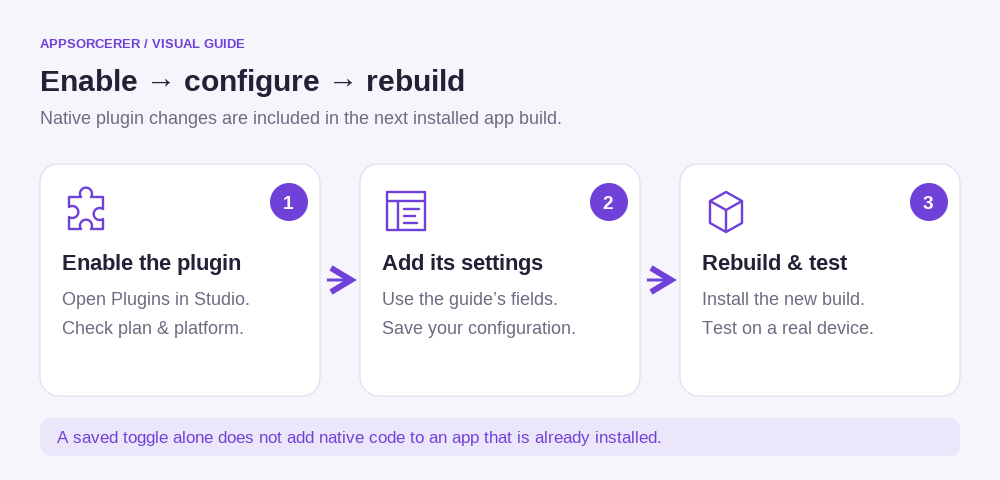
Turn the plugin on in App Studio → Plugins, fill in its settings, then rebuild your app. Websites call it through the JavaScript bridge.
Settings
| Studio label | Type | Default | Notes |
|---|---|---|---|
| Light tap on every link and button | toggle | false |
Setup
Nothing to configure. When this plugin is on, it takes over the standard AppSorcerer.haptics calls and keeps their names (impact, notification, selection, vibrate), so pages written for the basic API keep working.
JavaScript API
Every method returns a Promise. Call it as await AppSorcerer.haptics.<method>(args).
| Method | Arguments | Notes |
|---|---|---|
impact | { style: 'light' | 'medium' | 'heavy' | 'rigid' | 'soft' } (or a string) | Predefined click effects on Android 10+, short one-shots before |
notification | { type: 'success' | 'warning' | 'error' } (or a string) | Short waveform patterns |
selection | – | Lightest tick, for pickers and toggles |
trigger | { style } | Any preset: light, medium, heavy, rigid, soft, selection, success, warning, error |
vibrate | { durationMs = 300, amplitude?: 1–255 } (or a number) | Plain vibration (max 10 s) |
pattern | { pattern: [waitMs, vibrateMs, …], amplitudes?: number[] } | Custom waveform, plays once |
cancel | – | Stops any vibration |
isAvailable | – | { available, amplitudeControl } |
Every effect resolves with { performed: true }, or { performed: false } on devices without a vibration motor (pages never break on tablets).
Errors
Rejections carry error.code: vibration_failed, invalid_args, unknown_method.
Example
JavaScript
document.querySelector('#add-to-cart').addEventListener('click', () => {
  AppSorcerer.haptics.impact({ style: 'medium' });
});

await AppSorcerer.haptics.notification({ type: 'success' }); // order placed
Notes
- Light tap on every link and button adds a light tap to links, buttons and other clickable elements on every page.
- Android decides whether to follow the phone's touch feedback setting; on most devices the built-in effects do.
Was this helpful?