

QR & Barcode Scanner
Updated
Scan gift cards, loyalty codes and product barcodes with the camera.
- JavaScript:
window.AppSorcerer.scanner - Plan: Essential — included in every plan
- Platforms: Android apps today. iOS support arrives with iOS builds (coming soon).
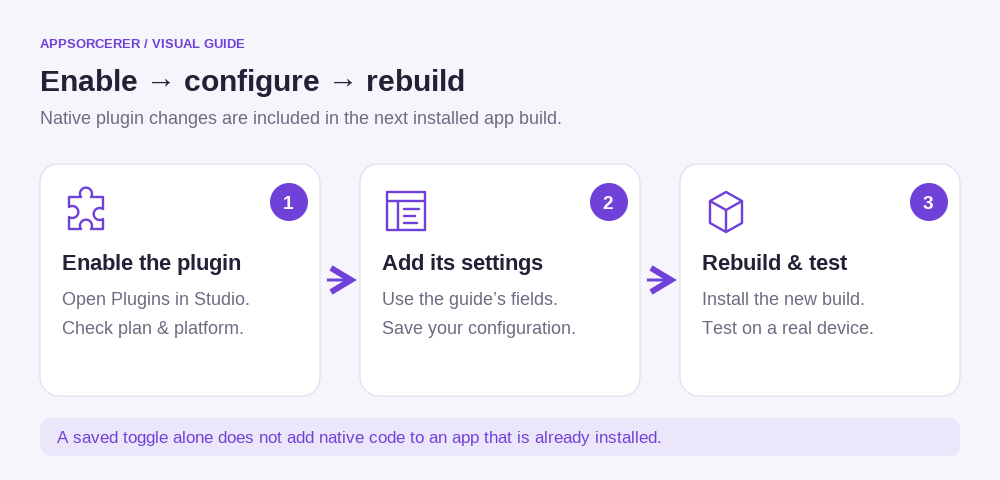
Turn the plugin on in App Studio → Plugins, fill in its settings, then rebuild your app. Websites call it through the JavaScript bridge.
Settings
| Studio label | Type | Default | Notes |
|---|---|---|---|
| Code formats | list | ["QR", "EAN-13", "Code 128"] | options: QR, EAN-13, EAN-8, UPC-A, UPC-E, Code 128, Code 39, Data Matrix, PDF417 |
| Open scanned URLs automatically | toggle | true |
Setup
Nothing to configure beyond the code formats. The scanner screen comes from Google Play services, so your app doesn't need to ask for camera access.
JavaScript API
Every method returns a Promise. Call it as await AppSorcerer.scanner.<method>(args).
| Method | Arguments | Resolves with |
|---|---|---|
scan | { formats?: string[], openUrl?: boolean, autoZoom = true, manualInput = false } | { value, displayValue, format, isUrl } |
isAvailable | – | { available } (Google Play services present) |
getFormats | – | the supported format names |
Formats (case and punctuation insensitive): QR, EAN-13, EAN-8, UPC-A, UPC-E, Code 128, Code 39, Code 93, Codabar, ITF, Data Matrix, PDF417, Aztec (ALL = every format). Without formats the plugin setting is used (default QR, EAN-13, Code 128). When openUrl (default: the "Open scanned URLs automatically" setting) is true and the code is an http(s) URL, the app opens it after resolving.
Events
Listen with AppSorcerer.on('<event>', callback) (or the DOM event appsorcerer:<event>).
| Event | Data |
|---|---|
scanner.result | same object as the scan() result |
Errors
Rejections carry error.code: canceled, scan_failed, busy, unavailable, unknown_method.
Example
try {
  const { value, format } = await AppSorcerer.scanner.scan({ formats: ['QR'] });
  console.log(format, value);
} catch (e) {
  if (e.code !== 'canceled') alert('Scanning failed: ' + e.message);
}
Notes
- The first scan on a device can take a few seconds while Google Play services downloads the scanner.
- Phones without a camera can still install your app.