

Klaviyo
Updated
Sync app profiles and push tokens to Klaviyo flows.
- JavaScript:
window.AppSorcerer.klaviyo - Plan: Plus (premium) — included on plans with premium plugins, and you can try it free for 14 days
- Platforms: Android apps today. iOS support arrives with iOS builds (coming soon).
- Android permissions:
POST_NOTIFICATIONS - Needs: your Firebase
google-services.jsonfile, uploaded in Push Notifications
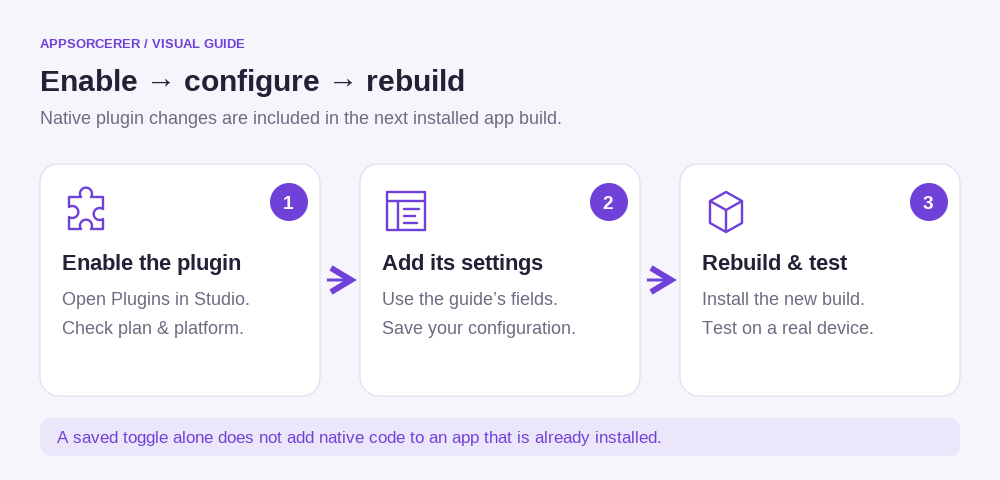
Turn the plugin on in App Studio → Plugins, fill in its settings, then rebuild your app. Websites call it through the JavaScript bridge.
Settings
| Studio label | Type | Default | Notes |
|---|---|---|---|
| Public API key (site ID) | text | – | required |
Setup
- Enter your Public API key (site ID).
- Upload your google-services.json in Push Notifications — Klaviyo push uses Firebase Cloud Messaging. The plugin registers the push token and records "Opened Push" automatically.
- Add your Firebase server credentials to Klaviyo (Settings → Push) to send pushes.
JavaScript API
Every method returns a Promise. Call it as await AppSorcerer.klaviyo.<method>(args).
| Method | Arguments | Notes |
|---|---|---|
setProfile | { email?, phoneNumber?, externalId?, firstName?, lastName?, organization?, title?, image?, address1?, address2?, city?, country?, region?, zip?, timezone?, latitude?, longitude?, properties?: {} } | |
setEmail / setPhoneNumber / setExternalId | { email } / { phoneNumber } / { externalId } | |
setProfileAttribute | { key, value } | standard keys above or any custom key |
createEvent | { name, value?, currency?, properties? } | "Viewed Product", "Added to Cart", "Started Checkout", "Opened App" map to Klaviyo metrics; anything else is a custom metric |
resetProfile | – | call on sign-out |
getProfile | – | { email, phoneNumber, externalId, pushToken } |
getPushToken / setPushToken | – / { token } | |
requestPushPermission | – | { granted } (Android 13+ notification permission) |
Errors
Rejections carry error.code: not_configured, invalid_args, klaviyo_error, unavailable, unknown_method.
Example
JavaScript
await AppSorcerer.klaviyo.setProfile({ email: customer.email, firstName: customer.firstName, externalId: customer.id });
await AppSorcerer.klaviyo.createEvent({ name: 'Viewed Product', value: 29.9, properties: { ProductID: 'SKU-1' } });
await AppSorcerer.klaviyo.requestPushPermission();
Notes
- If Firebase (FCM) is also your provider in Push Notifications, contact support before turning on Klaviyo push: Android delivers each Firebase message to only one handler.
Was this helpful?