

Auth0
Updated
Enterprise SSO through Auth0 Universal Login.
- JavaScript:
window.AppSorcerer.auth0 - Plan: Enterprise — available on the Enterprise plan
- Platforms: Android apps today. iOS support arrives with iOS builds (coming soon).
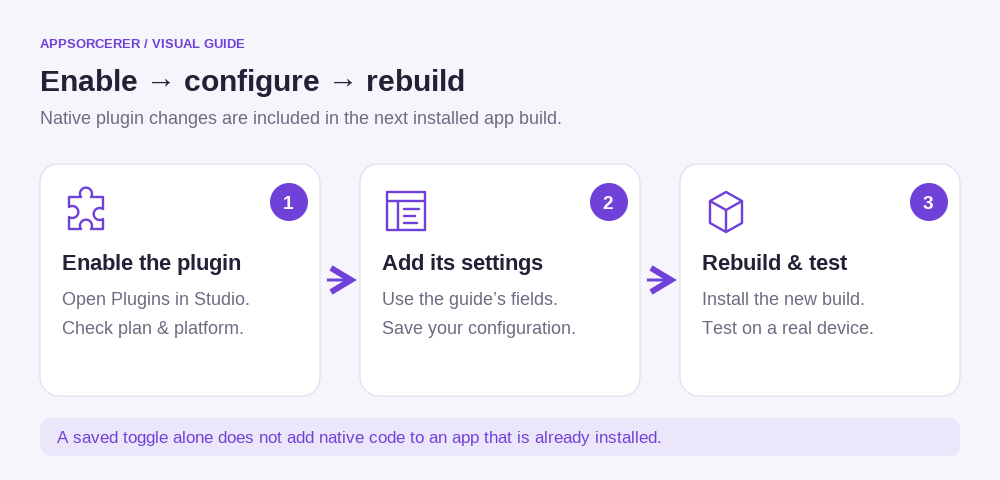
Turn the plugin on in App Studio → Plugins, fill in its settings, then rebuild your app. Websites call it through the JavaScript bridge.
Settings
| Studio label | Type | Default | Notes |
|---|---|---|---|
| Auth0 domain | text | – | required |
| Client ID | text | – | required |
| After login, open | text | – |
Setup
- In Auth0, create a Native application and enter its Domain and Client ID.
- Add this URL to Allowed Callback URLs and Allowed Logout URLs in Auth0:
callback-url.txt
appsorcerer-auth://YOUR_DOMAIN/android/YOUR_PACKAGE_NAME/callbackJavaScript API
Every method returns a Promise. Call it as await AppSorcerer.auth0.<method>(args).
| Method | Arguments | Resolves with |
|---|---|---|
login | { scope = 'openid profile email offline_access', audience?, connection?, organization?, invitationUrl?, parameters?: {}, redirect = true } | { idToken, accessToken, refreshToken, tokenType, expiresAt, scope, user: { id, name, nickname, email, emailVerified, givenName, familyName, picture } } |
logout | { federated = false, returnTo? } | { loggedOut: true } |
Login runs Universal Login in a Custom Tab. With redirect and After login, open (callbackUrl) set, the app then opens callbackUrl#id_token=…&access_token=…&token_type=…&expires_at=… (fragment only — not sent to servers).
Errors
Rejections carry error.code: canceled, no_browser, auth0_<code> (Auth0 error code), auth_failed, not_configured, busy, unavailable, unknown_method.
Example
JavaScript
const { accessToken, user } = await AppSorcerer.auth0.login({ audience: 'https://api.myshop.com', redirect: false });
await fetch('/api/session', { method: 'POST', headers: { Authorization: 'Bearer ' + accessToken } });
console.log('Signed in as', user.email);
Notes
- User details come from the ID token claims.
Was this helpful?