

App Review prompt
Updated
Ask happy customers for a store rating at the right moment.
- JavaScript:
window.AppSorcerer.appReview - Plan: Essential — included in every plan
- Platforms: Android apps today. iOS support arrives with iOS builds (coming soon).
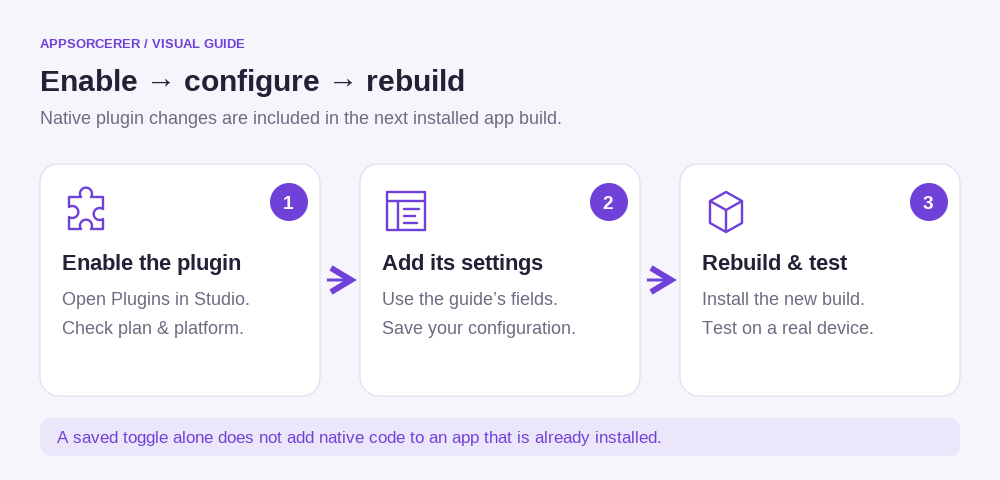
Turn the plugin on in App Studio → Plugins, fill in its settings, then rebuild your app. Websites call it through the JavaScript bridge.
Settings
| Studio label | Type | Default | Notes |
|---|---|---|---|
| Ask after this many launches | number | 5 | |
| And at least this many days after install | number | 3 | |
| Ask automatically (otherwise only from JavaScript) | toggle | false |
Setup
Nothing to configure. Counting starts at the first launch after install. With Ask automatically on, the review dialog is requested shortly after the first page loads once both thresholds are met, and at most every 120 days.
JavaScript API
Every method returns a Promise. Call it as await AppSorcerer.appReview.<method>(args).
| Method | Arguments | Resolves with |
|---|---|---|
request | – | { requested: true } — always asks Google Play (ignores the thresholds) |
requestIfEligible | – | { requested: true } or { requested: false, reason: 'not_eligible' } |
getStatus | – | { launches, daysSinceInstall, minLaunches, minDays, eligible, promptCount, lastPromptAt } |
openStore | – | { opened: true } — opens the Play Store listing |
reset | – | null — resets the counters (testing) |
Errors
Rejections carry error.code: review_unavailable, busy, unavailable, no_app, unknown_method.
Example
JavaScript
// After a successful order:
const status = await AppSorcerer.appReview.getStatus();
if (status.eligible) await AppSorcerer.appReview.request();
Notes
- Google Play decides whether the dialog actually appears and never tells the app whether someone rated, so
requested: trueonly means the request was made. - The dialog only appears in apps installed from Google Play (internal testing tracks work; APKs installed by hand don't show it).
AppSorcerer.app.review()works without this plugin.
Was this helpful?