

Background Location
Updated
Geofences and delivery tracking while the app is closed.
- JavaScript:
window.AppSorcerer.backgroundLocation - Plan: Business (premium) — included on plans with premium plugins, and you can try it free for 14 days
- Platforms: Android apps today. iOS support arrives with iOS builds (coming soon).
- Android permissions:
INTERNET,ACCESS_FINE_LOCATION,ACCESS_COARSE_LOCATION,ACCESS_BACKGROUND_LOCATION,FOREGROUND_SERVICE,FOREGROUND_SERVICE_LOCATION,POST_NOTIFICATIONS,RECEIVE_BOOT_COMPLETED
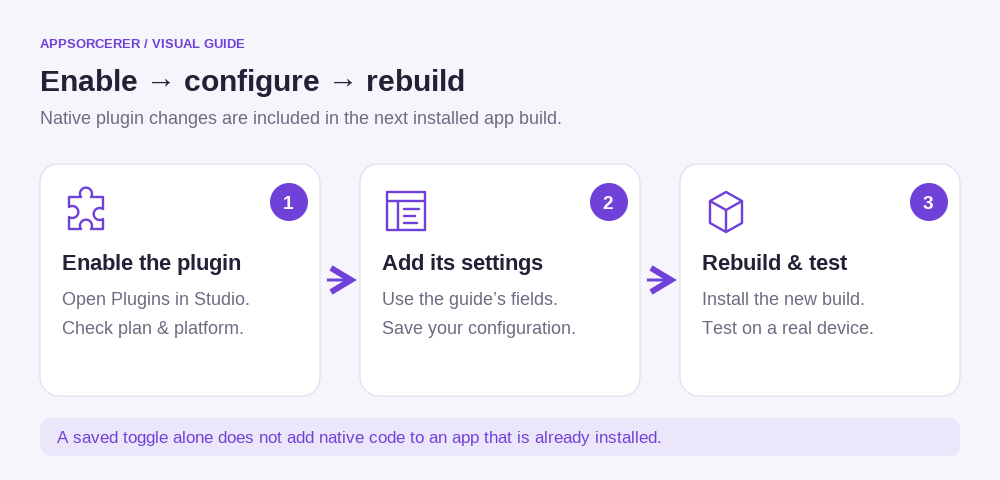
Turn the plugin on in App Studio → Plugins, fill in its settings, then rebuild your app. Websites call it through the JavaScript bridge.
Settings
| Studio label | Type | Default | Notes |
|---|---|---|---|
| Send locations to | text | – | required |
| Update interval (seconds) | number | 60 | |
| Ongoing notification text | text | "Sharing your location for delivery updates" |
Setup
- Set Send locations to — an https endpoint on your server.
- Google Play requires a background location declaration (with a short video) and a foreground service (location) declaration in Play Console → App content.
- Tracking keeps running while the app is in the background or closed, with an ongoing notification (Ongoing notification text). It resumes automatically the next time the app opens if it was still on, and right after the phone restarts (or the app updates) when the customer had it on and chose "Allow all the time".
- Languages: the notification channel ("Location sharing") and the default notification text follow your app's languages. Keep Ongoing notification text at its default to show it in the phone's language; a text you change (or pass to
start) is shown as written.
JavaScript API
Every method returns a Promise. Call it as await AppSorcerer.backgroundLocation.<method>(args).
| Method | Arguments | Resolves with |
|---|---|---|
requestPermission | { background = false } | { foreground, precise, background } — background access is a second step (Android 11+ opens Settings → "Allow all the time") |
getPermissionStatus | – | { foreground, precise, background } |
start | { postUrl?, intervalSeconds?, notificationText?, headers?: {}, extras?: {} } | { running: true } |
stop | – | { running: false } |
getStatus | – | { foreground, precise, background, running, postUrl, intervalSeconds, lastLocation } |
getCurrentPosition | { highAccuracy = true } | location |
addGeofences | { geofences: [{ id, latitude, longitude, radius = 150, transitions = ['enter','exit'], dwellMs = 300000, expiresInMs? }] } | { count, invalid } — needs background access |
removeGeofences | { ids? } (all when omitted) | { count } |
getGeofences | – | saved geofences |
Aliases: requestPermissions (= requestPermission), startTracking / stopTracking (= start / stop), getCurrentLocation (= getCurrentPosition), addGeofence / removeGeofence (= addGeofences / removeGeofences).
Location: { latitude, longitude, accuracy, altitude, speed, bearing, timestamp, provider }.
POST body (every intervalSeconds, min 5 s): the location plus { type: "location", deviceId, platform: "android", appId, batteryLevel, extras }; geofence transitions post { type: "geofence", transition: "enter" \| "exit" \| "dwell", geofenceIds, location, timestamp, deviceId, … }. headers (e.g. Authorization) and extras (e.g. an order ID) from start() are saved and sent with every request; the page's cookies are sent too.
Events
Listen with AppSorcerer.on('<event>', callback) (or the DOM event appsorcerer:<event>).
| Event | Data |
|---|---|
backgroundLocation.location | location (while the page is open) |
backgroundLocation.geofence | { transition, geofenceIds, location, timestamp } |
Errors
Rejections carry error.code: permission_denied, not_configured, start_failed, unavailable, geofence_failed, invalid_args, unknown_method.
Example
await AppSorcerer.backgroundLocation.start({
  intervalSeconds: 30,
  headers: { Authorization: 'Bearer ' + courierToken },
  extras: { orderId: '1042' },
});
// …when the delivery is done:
await AppSorcerer.backgroundLocation.stop();
Notes
deviceIdis a random ID created per install, not a hardware ID.- Geofences are saved and registered again when the app starts and after the phone restarts (the system clears them after reboots and updates).
- Without "Allow all the time", Android doesn't let tracking restart on its own after a phone restart; it resumes when the app is opened.
- The app also asks for notification permission so the ongoing notification shows on Android 13 and newer.