

Braze
Updated
Cross-channel journeys with push and in-app messages.
- JavaScript:
window.AppSorcerer.braze - Plan: Business (premium) — included on plans with premium plugins, and you can try it free for 14 days
- Platforms: Android apps today. iOS support arrives with iOS builds (coming soon).
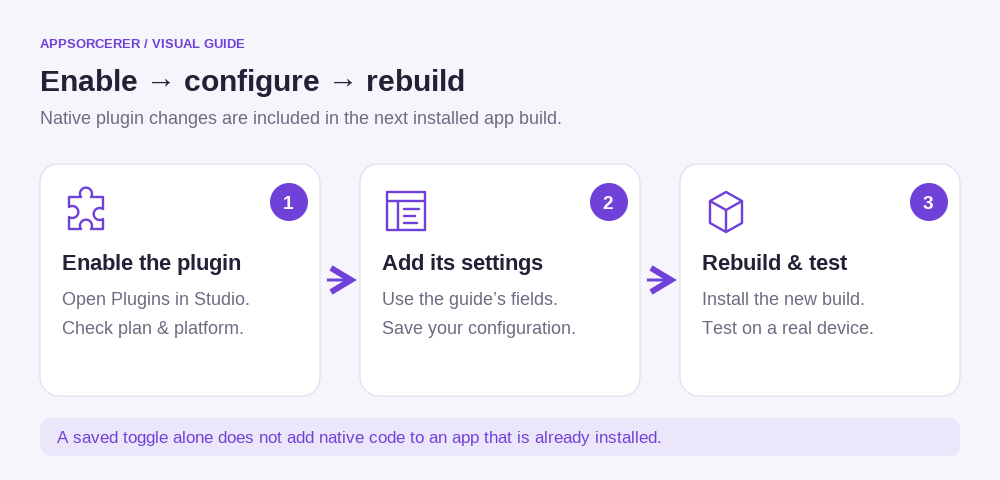
Turn the plugin on in App Studio → Plugins, fill in its settings, then rebuild your app. Websites call it through the JavaScript bridge.
Settings
| Studio label | Type | Default | Notes |
|---|---|---|---|
| SDK API key | text | – | required |
| SDK endpoint | text | – | required |
Setup
Enter the Braze SDK API key and SDK endpoint (for example sdk.iad-01.braze.com, from Braze → Settings → App Settings). Sessions and in-app messages are handled automatically.
Push campaigns
Braze push campaigns need:
- Push Notifications → Setup → Built-in FCM with your app's google-services.json.
- In Braze → Settings → App Settings → your Android app → Push notification settings: the Firebase Cloud Messaging credentials of the same Firebase project (service account JSON / sender ID).
The app hands Braze's messages and the push token to Braze, which shows the notification with your app's notification icon and accent color. A tap opens the app and loads the campaign's deep link inside the app (relative links open on your website), then fires braze.pushOpened. With OneSignal or no push provider, Braze push isn't available (in-app messages and tracking still work); requestPushPermission() then reports pushAvailable: false.
JavaScript API
Every method returns a Promise. Call it as await AppSorcerer.braze.<method>(args).
| Method | Arguments | Notes |
|---|---|---|
changeUser | { userId, sdkAuthSignature? } | call after sign-in (alias identify) |
logCustomEvent | { name, properties? } | alias logEvent |
logPurchase | { productId, price, currency = 'USD', quantity = 1, properties? } | |
setUserAttributes | { email?, firstName?, lastName?, phone?, custom?: {} } | custom values: string, number, boolean, object, array; null unsets (alias setAttributes) |
setEmail | { email } | the current user's email |
setCustomAttribute | { key, value } | alias setCustomUserAttribute |
requestPushPermission | – | asks for notification permission on Android 13+ → { granted, pushAvailable } (pushAvailable: the app uses Built-in FCM) |
requestImmediateDataFlush | – | alias flush |
getDeviceId | – | { deviceId } |
Events
Listen with AppSorcerer.on('<event>', callback) (or the DOM event appsorcerer:<event>).
| Event | Data | When |
|---|---|---|
braze.pushOpened | { url, title, body, campaignId, extras } | the app was opened from a Braze notification (after the deep link's page loaded) |
braze.pushReceived | same | a Braze push arrived while the app was running |
Errors
Rejections carry error.code: not_configured, braze_error, invalid_args, unavailable, unknown_method.
Example
await AppSorcerer.braze.changeUser({ userId: customer.id });
await AppSorcerer.braze.setUserAttributes({ email: customer.email, custom: { loyalty_tier: 'gold' } });
await AppSorcerer.braze.logCustomEvent({ name: 'wishlist_add', properties: { sku: 'SKU-1' } });
const { granted } = await AppSorcerer.braze.requestPushPermission();
AppSorcerer.on('braze.pushOpened', ({ campaignId, extras }) => console.log('Opened Braze campaign', campaignId, extras));
Notes
- Braze push campaigns need Push Notifications → Setup → Built-in FCM and your Firebase Cloud Messaging credentials in Braze (see Push campaigns above). In-app messages work without it.