
Deep links and App Links
Updated
Deep links open your app at the right page instead of the browser: a link in an email, a QR code or a message goes straight to the product, the order or the account page. Set them up in Link Handling → Deep links & universal links.
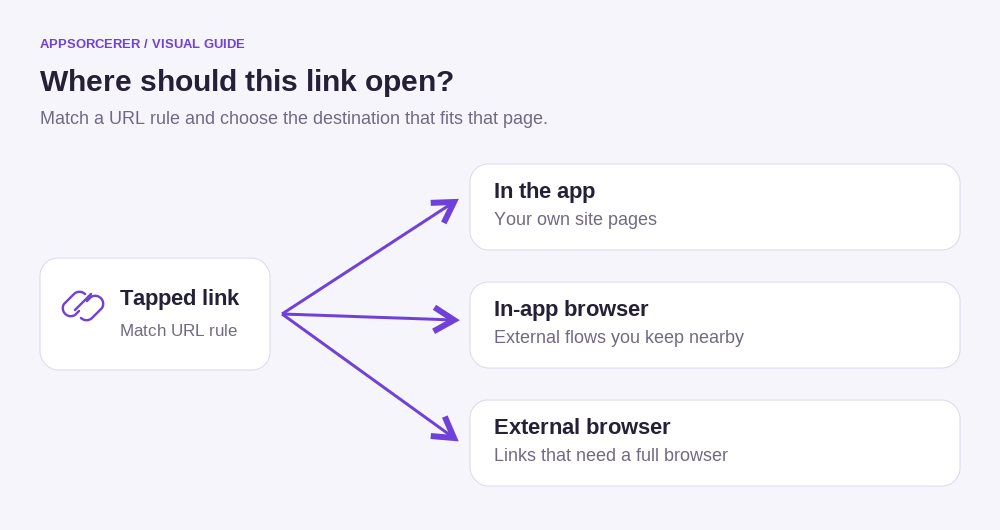
How App Links work
Android opens a link to your domain in your app only when the domain says that it trusts the app. It says so in a small file, assetlinks.json, hosted on the domain: the file names your app's package and the certificates that sign it. Android checks the file when the app is installed or updated.
Shopify stores: product and collection links
Coming soon: this needs a Shopify permission that is being arranged for AppSorcerer. Until it is in place, product and collection links open the browser, and the status shows Needs permission.
Shopify stores can't upload files to their domain, so for a Shopify app AppSorcerer asks Shopify to publish the file for you. Nothing to download or host: open Link Handling → Shopify product & collection links and check the status. Once it says Registered, links to /products/… and /collections/… on your .myshopify.com address and your store's own domain open the app (other pages, such as the cart and checkout, still open the browser).
| Status | What to do |
|---|---|
| Registered | Nothing. Build the app again so the new link handling reaches phones. |
| Needs Play fingerprint | Links work in builds you install yourself. Paste the Google Play app signing SHA-256 (below) so they also work for people who install the app from Google Play. |
| Needs permission | AppSorcerer needs one more Shopify permission, which is being arranged (see above). Until then, product links open the browser. |
| Needs signing key | Run a store build (it creates your upload key), upload your own key, or paste the Google Play app signing SHA-256. |
| Needs a fix | Shopify didn't accept the request. The message says why; press Try again. |
AppSorcerer updates the registration by itself when you change the package name, upload a signing key or add a Play fingerprint, and checks it again before every build. A build only adds the store's product and collection links when Shopify publishes the file for that exact package name, so an unverified store domain never stops your other domains from verifying.
1. Add your domains
Press Add domain and type each domain whose links should open the app, for example shop.example.com. Your website's own domain is added when you create the app. Add every host people use: example.com and www.example.com count as two domains.
2. Download assetlinks.json
App Studio writes the file for you, from your app's package name, the upload key it signs store builds with and, once you add it, the Google Play app signing SHA-256 (below). Open Build & Download → Android signing → App Links file and press Download assetlinks.json (or Copy); Link handling → Deep links has a Get assetlinks.json button too. The file is ready once your app has a signing key: after your first store build, or straight away if you uploaded your own key.
3. Host it on each domain
Upload the file to every domain at exactly this address:
https://<your domain>/.well-known/assetlinks.json- served over HTTPS as
application/json - no redirects, no login and no bot check in front of it
- if your platform can't serve files from
/.well-known/, ask its support how to add one, or use a domain you control
Google Play app signing
Google Play re-signs the apps it delivers with its own key, so add that certificate too. In Play Console open Test and release → App integrity → App signing and copy the SHA-256 certificate fingerprint. Paste it under Google Play app signing SHA-256 in Build & Download → Android signing, then download the file again and replace the hosted copy. Without it, links work in builds you install yourself but not in the version people get from Google Play.
Check the status
Each domain in the list shows its state. Press Check again after you upload the file.
| Status | Meaning |
|---|---|
| Verified | The file lists your app: links open the app. |
| Pending | No file was found at the address yet. |
| Needs a fix | The file exists but doesn't list this app or its certificate. Download it again and replace it. |
| Unreachable | We couldn't load the address: a redirect, an error page, a firewall or a timeout. |
Test on your phone
Test builds made before your first store build use a temporary key, so they can't verify links. Install a build made after it, then tap a link to your domain in an email or a notes app. Android checks the file when the app is installed, so reinstall after you fix it. With a computer and USB debugging you can ask Android for its verdict:
adb shell pm get-app-links com.example.appCustom URL scheme
A URL scheme opens the app from links like myapp://products/123 in emails, QR codes or other apps. Set it in Custom URL scheme:
myapp://products/123opens/products/123on your websitemyapp://shop.example.com/saleopenshttps://shop.example.com/salemyapp://open?url=<encoded address>opens that address
Use lowercase letters, numbers, +, . or -, starting with a letter. Schemes that belong to the browser or the phone, such as https, tel or mailto, can't be used.
iOS universal links
Universal links on iPhone need an apple-app-site-association file and come with iOS builds, which are coming soon. The domain check already tells you whether that file exists.