

AdMob
Updated
Banner, interstitial and rewarded ads.
- JavaScript:
window.AppSorcerer.admob - Plan: Plus (premium) — included on plans with premium plugins, and you can try it free for 14 days
- Platforms: Android apps today. iOS support arrives with iOS builds (coming soon).
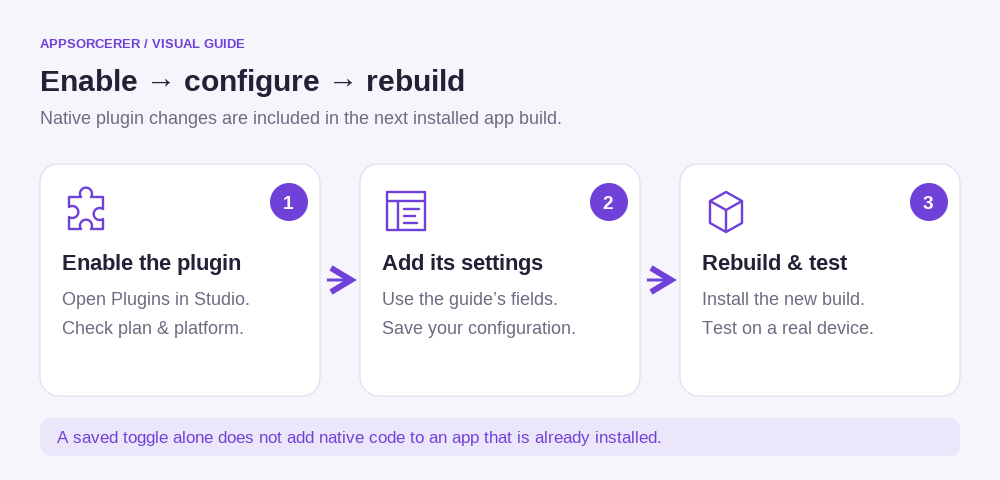
Turn the plugin on in App Studio → Plugins, fill in its settings, then rebuild your app. Websites call it through the JavaScript bridge.
Settings
| Studio label | Type | Default | Notes |
|---|---|---|---|
| Android app ID | text | – | required |
| iOS app ID | text | – | |
| Banner unit ID | text | – | |
| Interstitial unit ID | text | – | |
| Rewarded unit ID | text | – | |
| Banner position | select | "None" | options: None, Top, Bottom |
| Test ads | toggle | true |
Setup
- Enter your Android app ID (
ca-app-pub-…~…). Until you do, the app uses Google's sample app ID so it never crashes at startup. - Enter the ad unit IDs you use. While Test ads is on (the default), Google's test ad units are always used: banner
ca-app-pub-3940256099942544/9214589741, interstitial…/1033173712, rewarded…/5224354917. - For visitors in the EEA and UK, publish a GDPR message in AdMob (Privacy & messaging). The Google consent form is checked on every launch, and ads are only requested when consent allows it.
JavaScript API
Every method returns a Promise. Call it as await AppSorcerer.admob.<method>(args).
| Method | Arguments | Resolves with |
|---|---|---|
showBanner | { position?: 'top' | 'bottom', adUnitId?, adjustPage = true } | { position, heightPx, height } once loaded |
hideBanner / removeBanner | – | null |
loadInterstitial | { adUnitId? } | { loaded: true } |
showInterstitial | { adUnitId? } | { shown: true } after the ad is closed (loads first if needed) |
isInterstitialReady | – | { ready } |
loadRewarded | { adUnitId? } | { loaded: true } |
showRewarded | { adUnitId? } | { rewarded, amount, type } after the ad is closed |
isRewardedReady | – | { ready } |
requestConsent | { underAgeOfConsent = false } | { canRequestAds, status: 'required' | 'not_required' | 'obtained' | 'unknown', privacyOptionsRequired } |
showPrivacyOptions | – | consent status (show this from your privacy page when privacyOptionsRequired) |
getConsentStatus | – | consent status |
The banner (large anchored adaptive size, Google's current recommendation) is an overlay at the top or bottom of the screen, kept clear of the system bars. With adjustPage the page gets padding-bottom / padding-top and the CSS variable --appsorcerer-admob-bottom / --appsorcerer-admob-top set to the banner height. Banner position Top/Bottom shows the banner automatically after the consent check.
Events
Listen with AppSorcerer.on('<event>', callback) (or the DOM event appsorcerer:<event>).
| Event | Data |
|---|---|
admob.bannerLoaded | { position, heightPx, height } (height in CSS px) |
admob.bannerFailed | { code, message } |
admob.bannerClicked | {} |
admob.interstitialShown / admob.interstitialDismissed | {} |
admob.rewardEarned | { amount, type } |
admob.rewardedDismissed | { rewarded } |
admob.consent | consent status (after the launch check) |
Errors
Rejections carry error.code: consent_required, not_configured, load_failed, show_failed, consent_failed, unavailable, unknown_method.
Example
const { rewarded, amount } = await AppSorcerer.admob.showRewarded();
if (rewarded) await fetch('/api/loyalty/bonus', { method: 'POST', body: JSON.stringify({ points: amount }) });
Notes
- Google's ads SDK only starts after the consent check allows ads (consent given, or none needed in the customer's country). If the consent service can't be reached, ads stay off until a later check succeeds; a saved "consent required but not given" status always blocks ads.