

RevenueCat
Updated
Subscriptions and paywalls across iOS and Android.
- JavaScript:
window.AppSorcerer.revenuecat - Plan: Business (premium) — included on plans with premium plugins, and you can try it free for 14 days
- Platforms: Android apps today. iOS support arrives with iOS builds (coming soon).
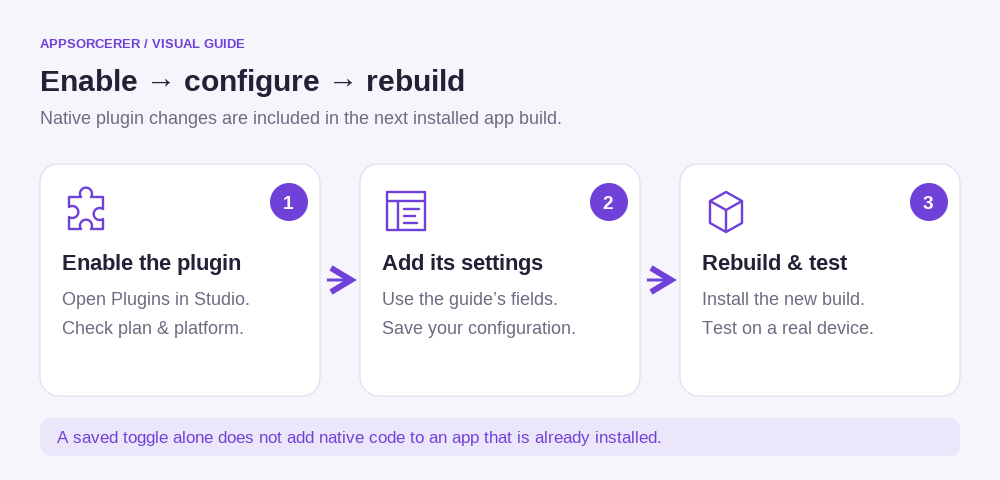
Turn the plugin on in App Studio → Plugins, fill in its settings, then rebuild your app. Websites call it through the JavaScript bridge.
Settings
| Studio label | Type | Default | Notes |
|---|---|---|---|
| Google Play public SDK key | text | – | required |
| App Store public SDK key | text | – |
Setup
Enter the Google Play public SDK key (goog_…, from RevenueCat → Project → API keys). Set up products, entitlements and offerings in RevenueCat and Play Console. Don't turn on the In-App Purchases plugin for the same products.
JavaScript API
Every method returns a Promise. Call it as await AppSorcerer.revenuecat.<method>(args).
| Method | Arguments | Resolves with |
|---|---|---|
getOfferings | – | { current, all: { [id]: offering } } — offering: { identifier, serverDescription, metadata, availablePackages: [{ identifier, packageType, offeringIdentifier, product }] }, product: { identifier, title, name, description, price, priceString, priceAmountMicros, currencyCode, period, type } |
purchasePackage | { packageId, offeringId? } | { customerInfo, transaction } |
purchaseProduct | { productId } | { customerInfo, transaction } |
restorePurchases | – | { customerInfo } |
getCustomerInfo | – | customerInfo: { originalAppUserId, activeSubscriptions, allPurchasedProductIds, latestExpirationDate, firstSeen, requestDate, managementURL, entitlements: { active, all } } |
logIn | { appUserId } | { customerInfo, created } |
logOut | – | { customerInfo } |
getAppUserId | – | { appUserId, isAnonymous } |
setAttributes | { attributes: {} } | null |
setEmail / setDisplayName / setPhoneNumber | { email } / { displayName } / { phoneNumber } | null |
syncPurchases | – | { customerInfo } |
Entitlement: { identifier, isActive, willRenew, periodType, productIdentifier, store, isSandbox, latestPurchaseDate, originalPurchaseDate, expirationDate, unsubscribeDetectedAt, billingIssueDetectedAt }. Dates are ISO 8601 strings.
Events
Listen with AppSorcerer.on('<event>', callback) (or the DOM event appsorcerer:<event>).
| Event | Data |
|---|---|
revenuecat.customerInfo | customerInfo, whenever RevenueCat reports a change |
Errors
Rejections carry error.code: canceled, purchases_<code> (RevenueCat error code, e.g. purchases_network_error), not_found, not_configured, invalid_args, unavailable, unknown_method.
Example
const { current } = await AppSorcerer.revenuecat.getOfferings();
const monthly = current.availablePackages.find((p) => p.packageType === 'MONTHLY');
const { customerInfo } = await AppSorcerer.revenuecat.purchasePackage({ packageId: monthly.identifier });
const isPro = 'pro' in customerInfo.entitlements.active;
Notes
- RevenueCat and In-App Purchases can both be in one app as long as they handle different products.