
App Studio tour
Updated
App Studio is where you design, build and publish your app. The sidebar groups every setting, and the live preview on the right shows the result.
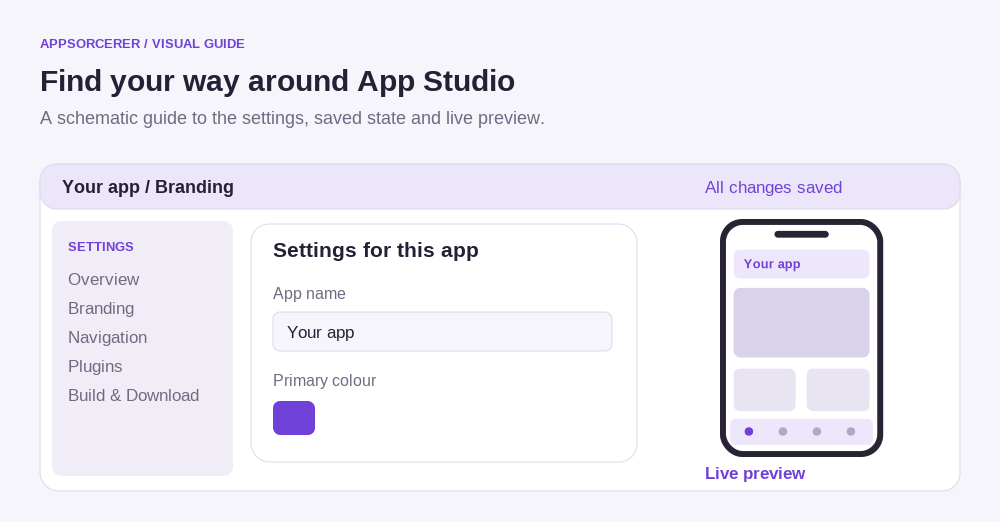
App settings
- Overview — status, share link and a setup checklist.
- Branding — app icon, splash screen and theme colours.
- Interface — dark mode, orientation, pull-to-refresh, offline page and languages.
- Navigation — native top bar, sidebar, bottom tabs and toolbar. Click any part of the phone to edit it.
- Link Handling — decide where each link opens.
- Permissions — camera, microphone, location and the prompts people see.
- Web Overrides — hide your website's header and footer in the app, user agent, headers, custom CSS and JavaScript.
- Push Notifications — connect OneSignal or Firebase and send campaigns.
- Plugins — add native features without code.
- Build & Download and Publish — builds, store listings and review status.
Saving
Changes save automatically a moment after you stop typing. The header shows Saving… and then All changes saved. Use undo and redo if you change your mind.
Workspace
Team & Access, Billing, Support and Settings apply to your whole workspace, not a single app.
Was this helpful?