

In-App Purchases
Updated
Sell digital goods with StoreKit and Google Play Billing.
- JavaScript:
window.AppSorcerer.iap - Plan: Business (premium) — included on plans with premium plugins, and you can try it free for 14 days
- Platforms: Android apps today. iOS support arrives with iOS builds (coming soon).
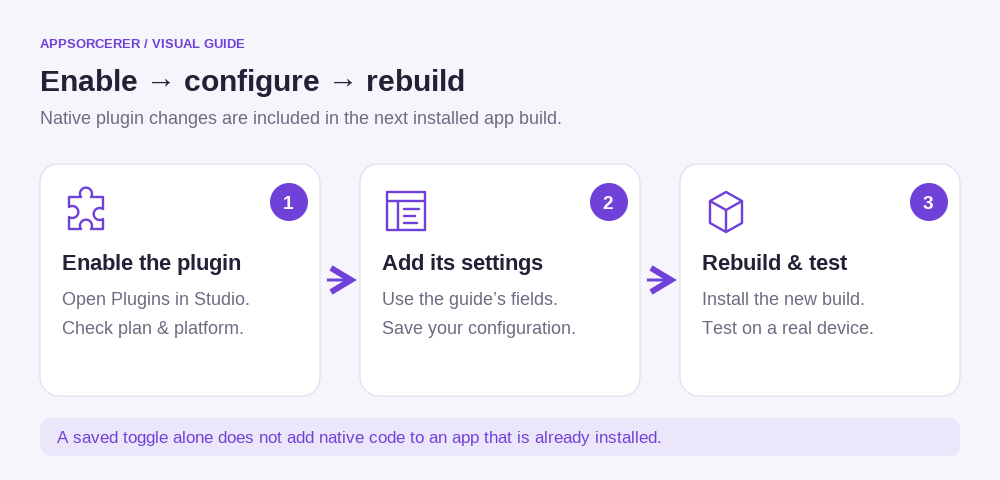
Turn the plugin on in App Studio → Plugins, fill in its settings, then rebuild your app. Websites call it through the JavaScript bridge.
Settings
| Studio label | Type | Default | Notes |
|---|---|---|---|
| Product IDs | textarea | – | One per line, as set up in Play Console / App Store Connect. |
| Send purchase receipts to | text | – |
Setup
- Create the products and subscriptions in Play Console and list their IDs (one per line) in Product IDs.
- Optional: Send purchase receipts to — an https endpoint on your website. Every completed purchase is POSTed there as JSON (with the page's cookies, so it's tied to the signed-in customer) before it's acknowledged or consumed. Verify the token with the Google Play Developer API on your server.
JavaScript API
Every method returns a Promise. Call it as await AppSorcerer.iap.<method>(args).
| Method | Arguments | Resolves with |
|---|---|---|
getProducts | { productIds?: string[] } (default: the setting) | { products: [product], notFound: [ids] } |
purchase | { productId, consumable = false, autoFinish = true, offerToken?, basePlanId?, offerId?, obfuscatedAccountId?, obfuscatedProfileId? } | { status: 'purchased' | 'pending', purchase, receiptPosted, finished } |
finish | { purchaseToken, consumable = false } | { finished: true } — acknowledge (or consume) yourself |
getPurchases | – | { purchases } — owned products and active subscriptions |
restore | – | { purchases } — also re-sends receipts (restored: true) and finishes unacknowledged purchases |
isReady | – | { ready } |
openSubscriptions | { productId? } | opens Google Play subscription management |
Product: { productId, type: 'inapp' \| 'subs', title, name, description, price, priceAmountMicros, currency, offers: [{ offerToken, basePlanId, offerId, tags, pricingPhases: [{ price, priceAmountMicros, currency, billingPeriod, billingCycleCount, recurrenceMode }] }] }. Purchase: { productIds, productId, purchaseToken, orderId, purchaseTime, purchaseState, quantity, acknowledged, autoRenewing, packageName, obfuscatedAccountId, obfuscatedProfileId }.
Receipt webhook body: the purchase object plus { platform: "android", appId, originalJson, signature, restored }. Answer 2xx to let the app finish the purchase; reply { "consume": true } to consume it or { "acknowledge": false } to finish it yourself later. If the webhook fails, the purchase stays unfinished and is retried the next time the app opens (Google refunds purchases left unacknowledged for 3 days). Make the endpoint idempotent on purchaseToken.
Events
Listen with AppSorcerer.on('<event>', callback) (or the DOM event appsorcerer:<event>).
| Event | Data |
|---|---|
iap.purchaseUpdated | { status, purchase, receiptPosted, finished } — purchases completed outside a purchase() call (pending payments that cleared, promo codes, purchases made while the app was closed) |
Errors
Rejections carry error.code: canceled, already_owned, item_unavailable, billing_unavailable, network_error, not_supported, developer_error, purchase_failed, finish_failed, not_found, busy, invalid_args, unavailable, no_app, unknown_method.
Example
const { products } = await AppSorcerer.iap.getProducts();
const result = await AppSorcerer.iap.purchase({ productId: 'coins_100', consumable: true });
if (result.status === 'purchased') refreshWallet();
Notes
- Uses Google Play Billing 8, which Google Play requires for app updates.
consumable: trueis remembered per product ID, so later purchases of that product made outside the app are consumed too.