

Branch.io
Updated
Deferred deep links and referral attribution.
- JavaScript:
window.AppSorcerer.branch - Plan: Business (premium) — included on plans with premium plugins, and you can try it free for 14 days
- Platforms: Android apps today. iOS support arrives with iOS builds (coming soon).
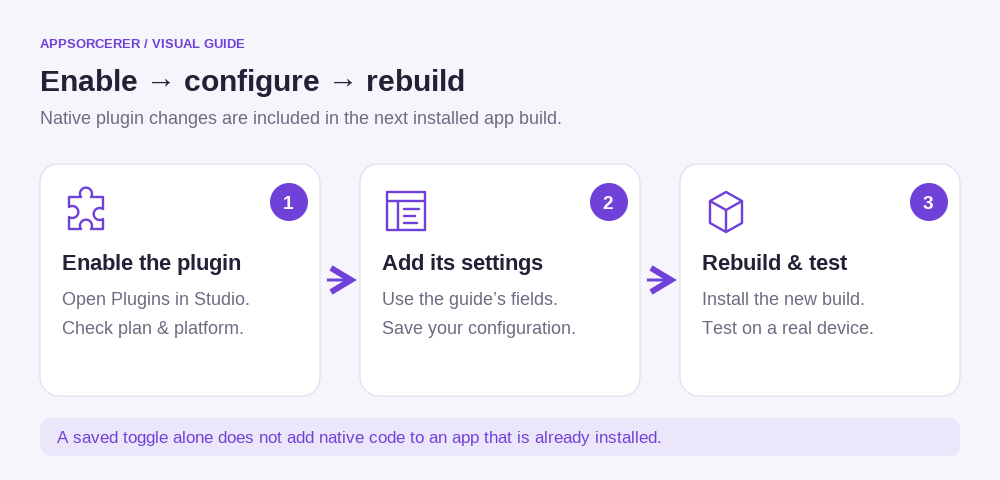
Turn the plugin on in App Studio → Plugins, fill in its settings, then rebuild your app. Websites call it through the JavaScript bridge.
Settings
| Studio label | Type | Default | Notes |
|---|---|---|---|
| Branch key | text | – | required |
| Link domain | text | – | |
| Test mode | toggle | false |
Setup
- Enter the Branch key (
key_live_…, orkey_test_…for Branch's test environment). - Enter the Link domain (for example
yourapp.app.link). Always set it when Branch is on — it's the domain your links open the app from. - In the Branch dashboard (Configuration → Android), add your package name and the SHA-256 fingerprint of the app's signing key (shown in App Studio under Publish).
Test mode turns on Branch's logging and test mode.
JavaScript API
Every method returns a Promise. Call it as await AppSorcerer.branch.<method>(args).
| Method | Arguments | Resolves with |
|---|---|---|
getLatestParams | – | data of the link that opened this session |
getFirstParams | – | data of the install link (deferred deep link) |
createLink | { canonicalIdentifier?, canonicalUrl?, title?, description?, imageUrl?, data?: {}, feature?, channel?, campaign?, stage?, alias?, tags?: [], controlParams?: {}, deeplinkPath? } | { url } |
setIdentity | { userId } | null |
logout | – | null |
logEvent | { name, description?, data?: {} } | null — standard event names (PURCHASE, ADD_TO_CART, …) are recognised |
When a Branch link opens the app, the page in $deeplink_path, url or $canonical_url is opened (relative paths resolve against the start URL), then branch.link is emitted on it.
Events
Listen with AppSorcerer.on('<event>', callback) (or the DOM event appsorcerer:<event>).
| Event | Data |
|---|---|
branch.link | the link's parameters (+clicked_branch_link, ~channel, ~campaign, $deeplink_path, custom data …) |
Errors
Rejections carry error.code: not_configured, link_failed, invalid_args, unavailable, unknown_method.
Example
JavaScript
const { url } = await AppSorcerer.branch.createLink({
  title: 'Get 10% off',
  data: { referrer: customer.id },
  channel: 'app',
  feature: 'referral',
  deeplinkPath: '/pages/referral',
});
navigator.share?.({ url });

AppSorcerer.on('branch.link', (params) => console.log('Opened from', params['~channel']));
Notes
- Use your main link domain; Branch's
-alternate.app.linkdomain isn't supported.
Was this helpful?