Mobile App Push Notification Best Practices
A practical playbook of push notification best practices for mobile apps: permission timing on Android 13 and later, message copy, deep links, frequency, segments, time zones and the metrics that show it's working.
On this page
- When should an app ask for notification permission?
- Push notification best practices for writing the message
- Where should a tap on a push notification go?
- How often should you send push notifications?
- How do you segment and time push notifications?
- How do you avoid opt-outs and uninstalls?
- How do you measure whether push notifications are working?
- How do you apply these practices in AppSorcerer?
- Frequently asked questions
- Should I ask for push permission on the first app launch?
- How many push notifications are too many?
- Do push notifications need a deep link?
- What is the best time of day to send push notifications?
Nearly all push notification best practices come back to one test: would this person have wanted to know this, right now? This guide turns that test into concrete decisions for a mobile app on Android 13 and later: when to ask for permission, what to write, where a tap should land, how often to send, how to time and segment, and what to measure. If you run a Shopify store, our Shopify push notifications guide covers the store automations themselves. This is the general playbook underneath them.
Short answer: Ask for notification permission after people have seen why it helps, not the moment the app opens. Send what they signed up for, keep titles short and specific, and make every tap open the screen the push talks about. Deliver in the user's daytime, keep order updates apart from promotions, and judge results by opt-outs and sales as well as opens.
When should an app ask for notification permission?
Timing the permission prompt is the decision with the biggest long-term effect, because a "no" is hard to undo.
On Android 13 (API level 33) and later, notifications from a newly installed app are off until the user grants the POST_NOTIFICATIONS permission. If your app targets Android 13 or higher, you decide when the system dialog appears. Target 12L or lower and Android shows it for you, usually at startup, and a single "Don't allow" means no second prompt until the app is reinstalled or updated to target Android 13. Both rules are in Google's notification permission guide.
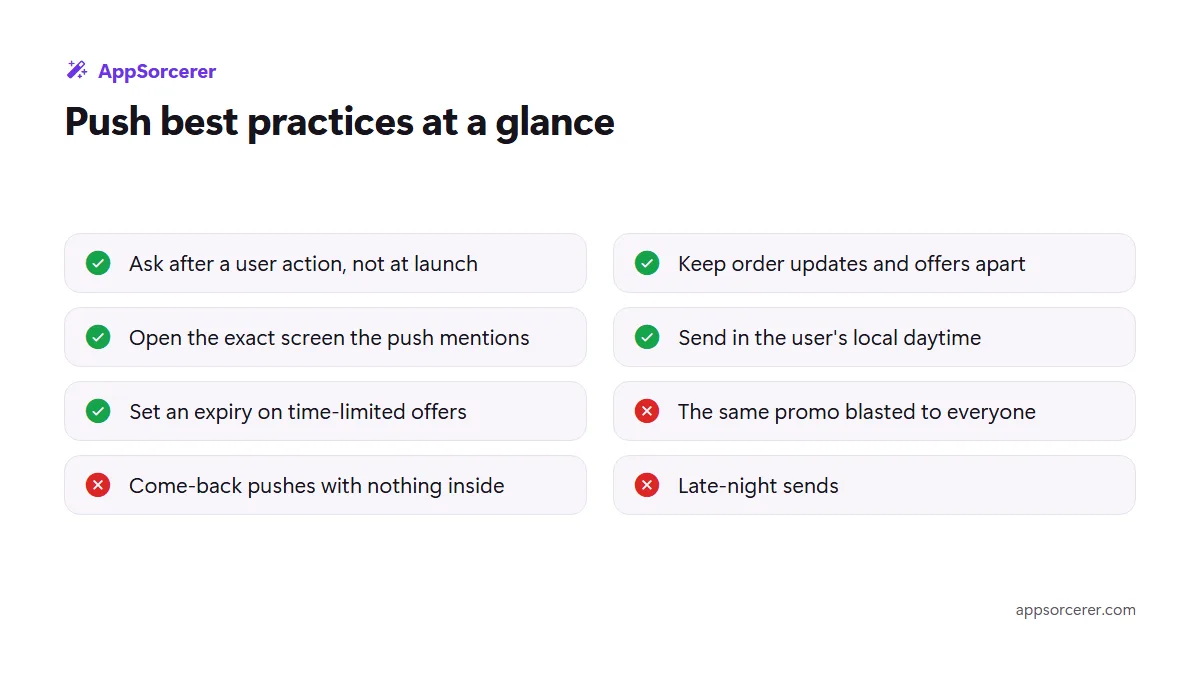
Google's advice is to let people explore first and to tie the request to something they chose to do. Its own examples are tapping a bell icon, following an account and placing a food order, and it also suggests waiting until the third or fourth launch. The Android notification design guidelines add that you should explain what the user gets and what they'll miss, in your own dismissible screen first, and skip the system dialog if they dismiss that screen.
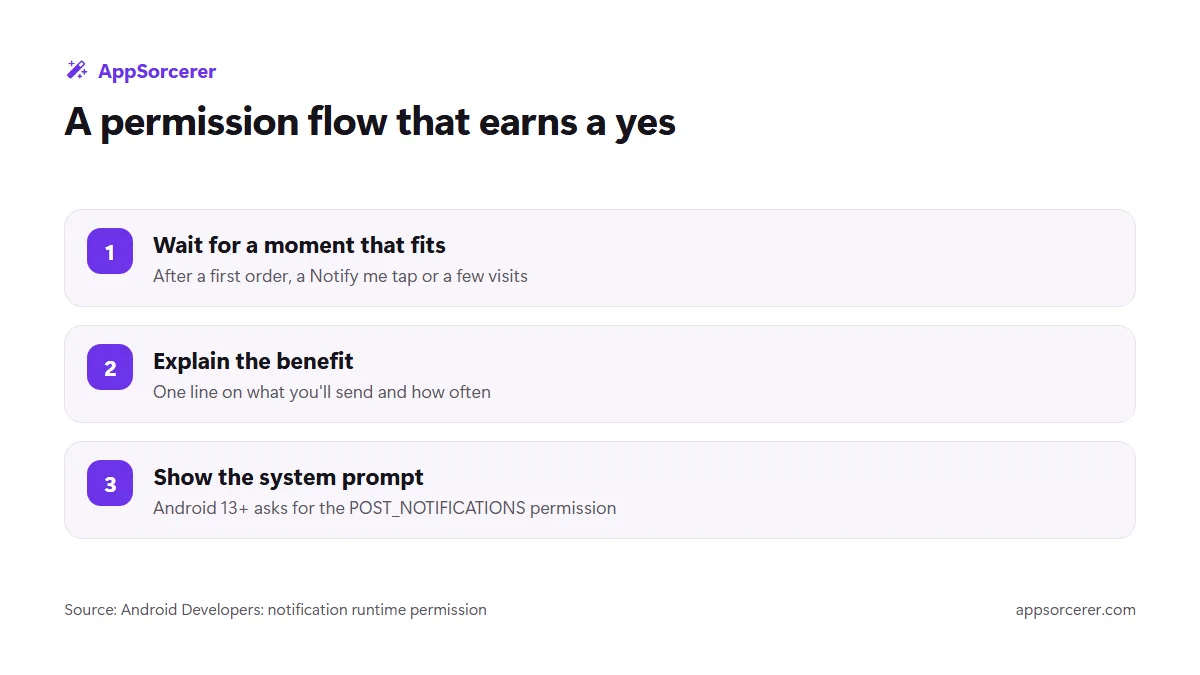
For a shopping app, three moments work well:
- Straight after the first order, framed as "get shipping updates".
- When someone taps "Notify me" on a sold-out product.
- On the third visit, with one line on what you'll send and how often.
The payoff is measurable. Airship reports that apps running onboarding campaigns see opt-in rates as much as 40% above their category average, in its 2026 push benchmarks.
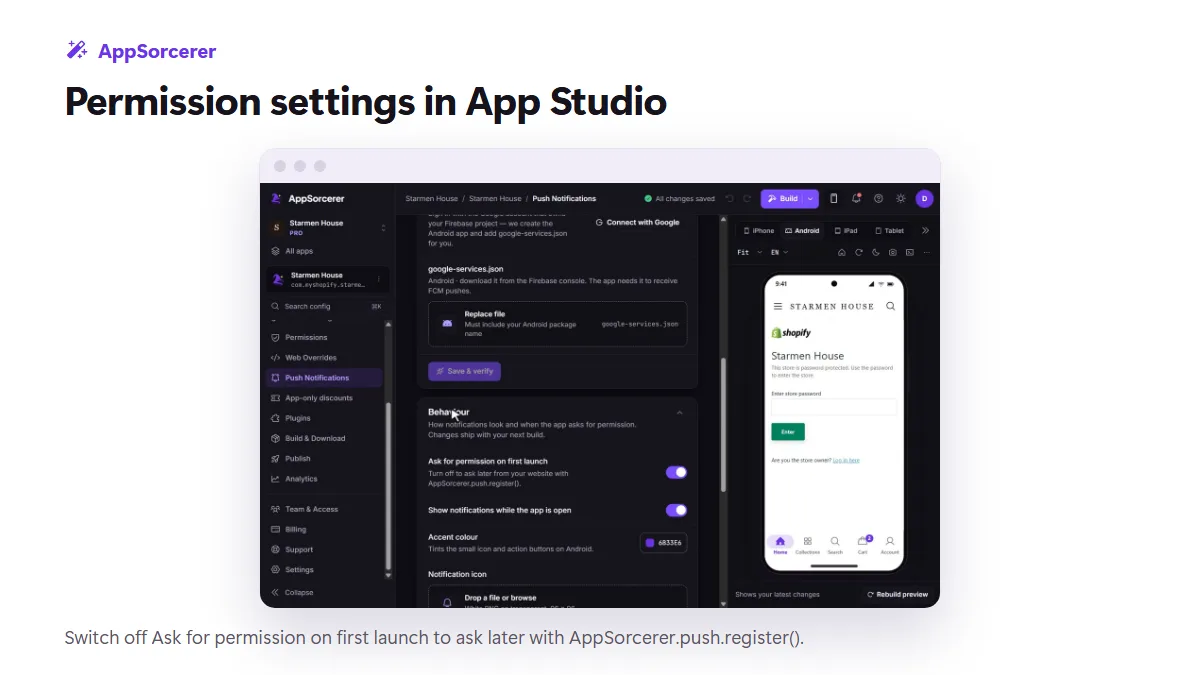
In AppSorcerer, the Push Notifications screen in App Studio has an "Ask for permission on first launch" switch. Turn it off and call AppSorcerer.push.register() from your website at the moment you choose instead.
Push notification best practices for writing the message
Once you have permission, every push is spending it. A few rules keep the balance positive:
- Lead with the news. The title carries the fact (shipped, back in stock, price cut), and the message adds the detail. Keep titles around 30 characters, since phones cut text off at different lengths.
- Personalise with behaviour, not just a name. In Airship's data, pushes built on recent activity, location or a customer milestone earned 37% more direct opens on average.
- Use an image when it carries information. A product photo on a restock alert does; a stock lifestyle shot rarely does. Airship's research credits rich media with a 22% average lift in direct opens, and Android's big picture template shows a thumbnail when collapsed and a large preview when expanded.
- Add actions sparingly. An expanded Android notification can show up to three actions. Google's guidance says not to add a button that does the same as tapping the notification body.
- Never promise what the landing page doesn't deliver. If the push says 30% off, the screen it opens should show 30% off.
Where should a tap on a push notification go?
Straight to the thing the push mentions. Google's design guidance is explicit: the screen a notification opens must relate directly to it, so the user can act straight away. A price-drop alert that lands on the home page makes people search for the product, and many won't bother.
This is what deep links are for. AppSorcerer apps support deep links and a custom URL scheme, so a push can open a specific page inside the app instead of the start screen; the deep links guide shows how to set them up.
How often should you send push notifications?
There's no safe universal number. OneSignal's CTR troubleshooting guide puts it plainly: tolerance varies by platform, vertical and content type, and sending several unrelated pushes a day will drag click rates down.
Airship's 2025 data shows how wide the range is. Media apps in the top 10% sent around 360 pushes per user per month, more than ten a day, which Airship itself calls potentially catastrophic for a retail or utility app. Meanwhile, median and low-volume Android senders cut their volume by 15% year on year.
My rule of thumb for stores: send event pushes (shipping, restocks, price drops the shopper asked for) every time they happen, and keep promotional campaigns to one or two a week. Cut back faster if opt-outs rise after a campaign.
Make muting cheap, too. Since Android 8.0, every notification belongs to a channel, and users can change sound, visibility or blocking per channel in system settings, as the notification channels guide explains. An app that puts order updates and offers in separate channels lets a tired user silence the offers and keep the shipping news.
How do you segment and time push notifications?
Sending the same message to everyone at the same minute is the cheapest option and usually the weakest. Better targeting needs only a few segments:
- Recent buyers: shipping and delivery news, then a follow-up for a related product a week or two later.
- Cart and wishlist holders: price drops and restocks on the exact items they saved.
- Browsers by category: new arrivals only in the categories they looked at.
- Lapsed users: one message with a real reason to return, then silence.
Timing has two parts. First, send in each user's local time, during waking hours. OneSignal, for example, offers time zone delivery, and its Intelligent Delivery picks each user's most active hour, though not on the Free plan. Second, set an expiry on anything time-limited. In Firebase, the Expires field controls how long FCM holds a message for a phone that's offline, according to the Firebase console guide. A flash-sale push that turns up after the sale has ended does more harm than no push at all.
How do you avoid opt-outs and uninstalls?
Most people who switch off notifications aren't reacting to one bad message. They're reacting to a pattern. The usual causes are blasts that don't match their interests, pushes at night, copy that oversells, and "come back" nudges with nothing in them. Google's design guidelines list several of these among the cases where a notification shouldn't be used at all, including holiday greetings and requests to rate the app.
Give people a way out that isn't the system switch. An in-app notification settings page, with separate toggles for order updates and offers, keeps users who only want part of what you send.
How do you measure whether push notifications are working?
Opens alone don't tell you much. Airship recommends reading direct open rates next to downstream figures such as conversions, active users, indirect opens, opt-outs and uninstalls. For a store, track these five:
- Opt-in rate: the share of active users who allow notifications.
- Direct opens: taps on the push, measured against delivered messages.
- Revenue or orders after a tap: the number that justifies the channel.
- Opt-outs after each campaign: a spike means you overstepped.
- Uninstalls: watch the trend over weeks rather than single days.
Compare each campaign with your own past results, not an industry average, and change one thing at a time when you test.
How do you apply these practices in AppSorcerer?
Push in AppSorcerer runs on OneSignal or Firebase Cloud Messaging, and you control the permission prompt in App Studio as shown above. Deep links make each tap land on the right page. Campaigns and automations are part of the Growth plan and above, and Shopify stores get back-in-stock and price-drop pushes in apps built from November 2026 on, which are opt-in by design. The push notifications guide covers setup step by step, and the pricing page shows how many pushes each plan includes.
Frequently asked questions
Should I ask for push permission on the first app launch?
Usually not. Google recommends letting people explore first and asking when they do something that makes notifications useful, such as placing an order. A prompt with no context is easy to refuse, and on Android a refusal is hard to reverse.
How many push notifications are too many?
It depends on what you send. Event updates people expect can go out whenever they happen, while promotions wear thin fast. For a store, one or two campaigns a week is a sensible ceiling to start from, adjusted by what your opt-out numbers tell you.
Do push notifications need a deep link?
Any push that mentions a product, order or offer should open that exact screen. Google's guidance says the tap must lead to content related to the notification. Sending people to the home page instead throws away much of the click.
What is the best time of day to send push notifications?
Send event-driven pushes when the event happens and campaigns in each user's local daytime. Beyond that, test send times against your own open and conversion data, since your audience's routine matters more than published averages.