What Is an Android App Bundle (AAB)? AAB vs APK
What an Android App Bundle is, how it differs from an APK, why Google Play has required AAB files for new apps since August 2021, how Play App Signing works and three ways to test a bundle before release.
On this page
- What is an Android App Bundle?
- AAB vs APK: what's the actual difference?
- Why does Google Play require AAB files?
- What is Play App Signing, and what happens if you lose a key?
- How do you test an Android App Bundle before release?
- Which files do you get from AppSorcerer?
- Frequently asked questions
- Can I install an AAB file on my phone?
- Is an AAB smaller than an APK?
- Can I still upload an APK to Google Play?
- Do I need Android Studio to make an AAB?
If you've built an Android app recently, you've probably been handed two files and no explanation. The .apk installs when you tap it. The .aab doesn't, yet the Android App Bundle is the one Google Play insists on. Both hold the same app, but they're meant for different jobs, and mixing them up costs people hours on their first release.
Short answer: An Android App Bundle (AAB) is the file you upload to Google Play, not a file phones install. Play takes the bundle, builds optimised APKs for each device and signs them with your app signing key. Google has required bundles for new apps since August 2021. An APK is still what you install directly, for testing or for sharing outside Play.
What is an Android App Bundle?
An Android App Bundle is a publishing format. It contains all your app's compiled code and resources, but it leaves two jobs to Google Play: generating the APKs and signing them (Android Developers).
When someone installs your app, Play doesn't send them the whole bundle. It sends a base APK plus configuration APKs that match their phone: the right screen density, the right processor architecture, the languages they use. A phone set to English doesn't download your Hindi strings. Developers used to get the same effect by building and uploading several APKs by hand. The bundle does that bookkeeping for you.
Bundles also make two optional extras possible. Play Feature Delivery lets an app download some features later, on demand. Play Asset Delivery does the same for large game assets. Most store and website apps never need either.
AAB vs APK: what's the actual difference?
Think of the AAB as the master copy you give the shop, and APKs as what the shop hands to each customer.
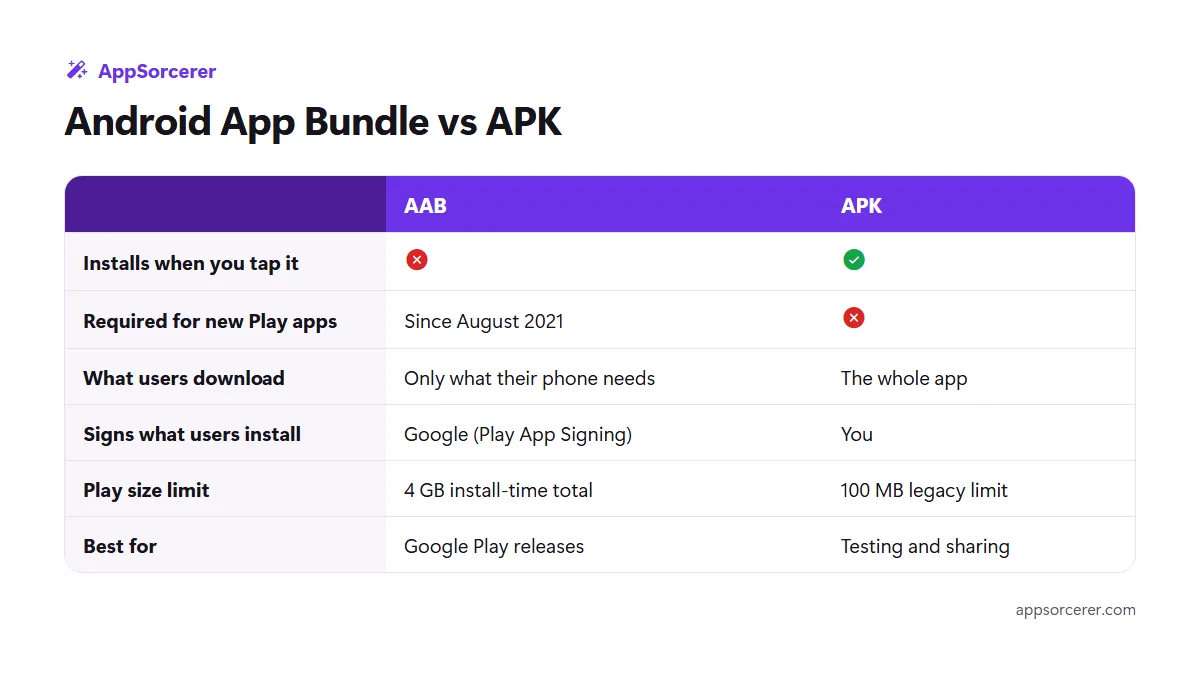
| Android App Bundle (.aab) | APK (.apk) | |
|---|---|---|
| Who uses the file | Google Play, which turns it into APKs | Phones, directly |
| Install it by tapping the file | No | Yes, once installs from unknown sources are allowed |
| Accepted for new apps on Google Play | Yes, required since August 2021 | No |
| Download size for users | Only what each phone needs | Everything, for every phone |
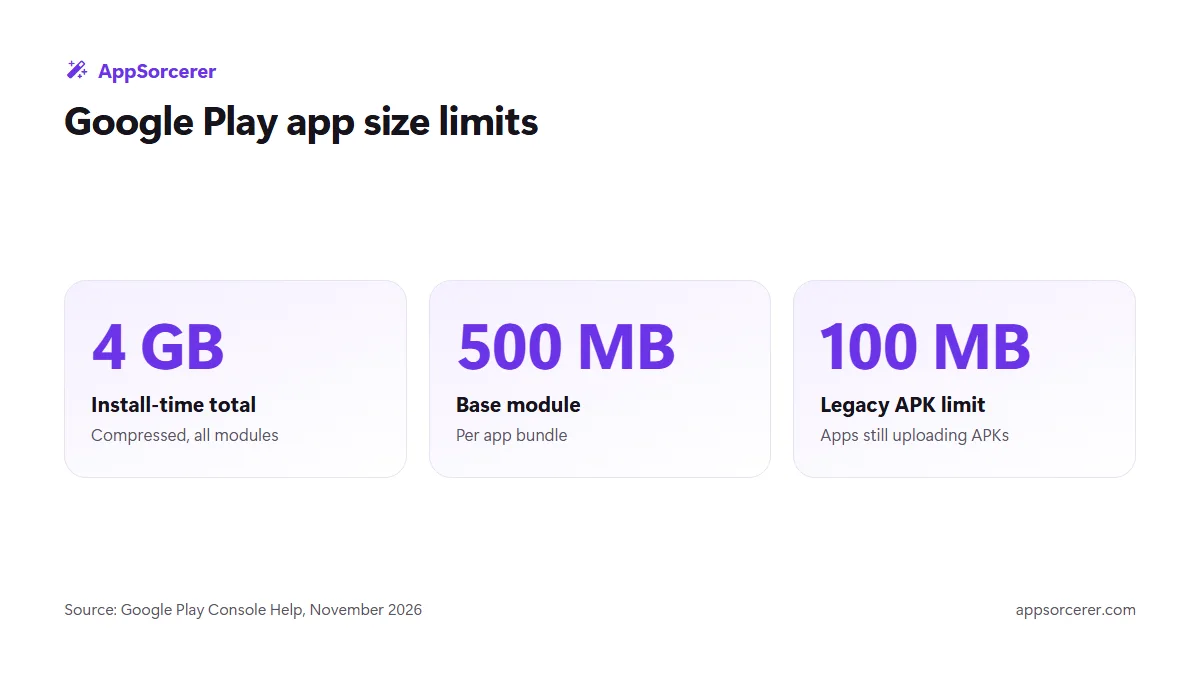
| Size limit on Google Play | 4 GB compressed for install-time downloads | 100 MB for apps still publishing APKs |
| Who signs what users install | Google, with your app signing key | You, with your own key |
| Best for | Google Play releases | Testing, demos and sharing outside Play |
The size row comes from Google's app size limits page. Under the 4 GB total, the base module can be up to 500 MB, and phones on mobile data see a warning before installing anything above 200 MB. A store app built from a website will be nowhere near any of these.
Why does Google Play require AAB files?
Google announced in June 2021 that new apps would have to publish as Android App Bundles from August 2021 (Android Developers Blog). Updates to existing apps were exempt, and so were private apps distributed through managed Google Play. TV apps followed later: since 30 June 2023, Play has refused APK updates for them.
Google's pitch was smaller, faster downloads, and at the time it put the average saving at 15% against a universal APK. There was a second, quieter consequence. Because Play now builds the APKs, Play also has to sign them, so publishing a bundle means using Play App Signing. That's the part that confuses people most, so it gets its own section.
What is Play App Signing, and what happens if you lose a key?
With Play App Signing there are two keys (Play Console Help):
- The upload key stays with you. You sign each bundle with it before uploading, and Google uses it to check the upload really came from you. If it's lost or leaked, Google can reset it.
- The app signing key stays with Google. Play uses it to sign the APKs that land on people's phones. Every update is signed with it too.
Losing the upload key is an inconvenience, not a disaster. In Play Console, go to Protected with Play, then Play Store protection, then Manage Play app signing, and use Request upload key reset with a new certificate. Losing a self-managed app signing key is the disaster: Google can't reset that one.
Two practical notes. First, services that check your app's identity, such as Google Sign-In, Firebase or Android App Links, need the app signing key's fingerprint from that same Play Console page, not your upload key's. It's an easy one to miss. Second, new apps are now enrolled by default in what Google calls quantum-ready hybrid signing: a classical key paired with a post-quantum one, plus a separate classical key for phones on Android 16 or lower.
How do you test an Android App Bundle before release?
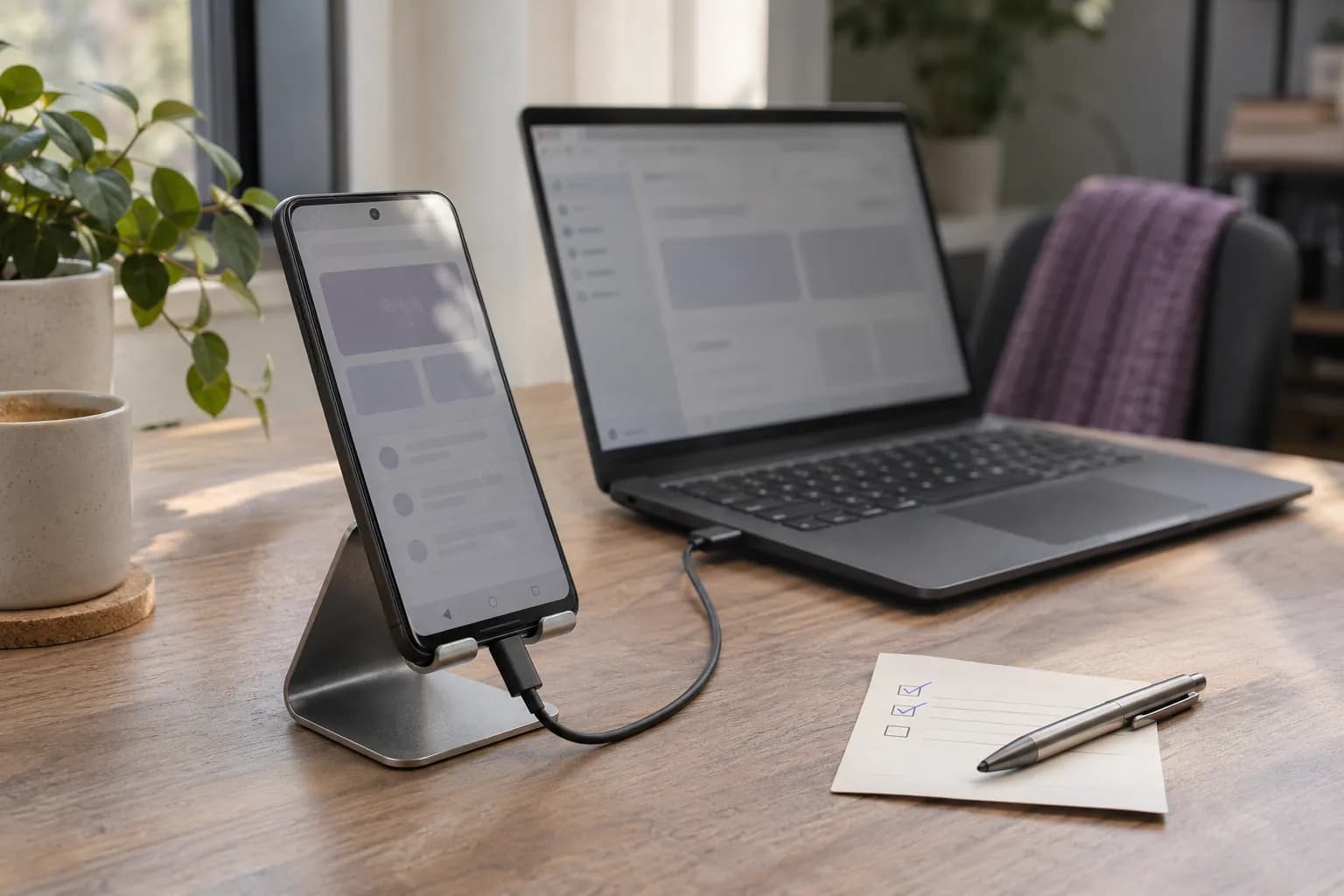
You can't double-click an AAB, so testing needs one extra step. There are three ways, from most technical to least.
- bundletool on your computer. Google's bundletool turns a bundle into an APK set and installs the right pieces on a connected phone (Android Developers). Add
--mode=universalif you want a single APK to pass around instead. - Internal app sharing. Upload the bundle in Play Console and you get a download link for testers. Links work for up to 100 people, expire 60 days after upload, and the build doesn't need your production key (Play Console Help).
- An internal testing track. Up to 100 testers install the app from Play itself, and you can start before you've finished setting up the app. This is the closest thing to the real release.
The bundletool route looks like this:
bundletool build-apks --bundle=my_app.aab --output=my_app.apks --connected-device
bundletool install-apks --apks=my_app.apks
bundletool get-size total --apks=my_app.apks
The last command estimates the compressed download size, which is the honest way to check the "smaller downloads" promise for your own app rather than trusting someone else's average.
None of this replaces Google's production gate. Personal developer accounts created after 13 November 2023 still need a closed test with at least 12 testers opted in for 14 days in a row before going live. We cover that in our 12 testers guide.
Which files do you get from AppSorcerer?
It depends on the plan. The Free plan builds a test APK with an AppSorcerer watermark, which you install on your own phone to check the app. Paid plans add a signed, store-ready Android App Bundle for Google Play, plus an APK for testers and direct installs. The Starter plan, at $6 a month, is the cheapest way to get the store build.
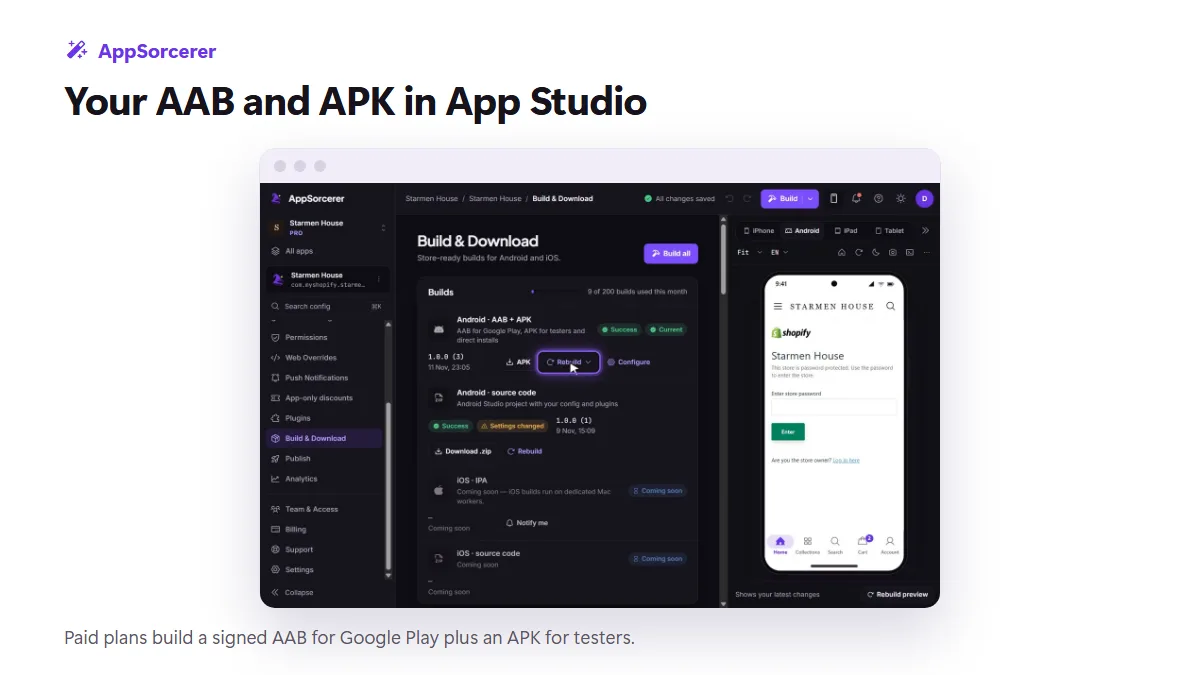
The app is published under your own Google Play developer account, so the listing stays yours. You can upload the bundle yourself, or have the AppSorcerer team publish it for you as a paid add-on (publishing service). Either way, back up your signing key as the Android builds guide describes, because Google Play expects the same key on every update.
Frequently asked questions
Can I install an AAB file on my phone?
Not directly. Android installs APKs, so you'd convert the bundle with bundletool or install it through internal app sharing or a Play testing track. For a quick check on your own phone, the APK that comes with your build is simpler.
Is an AAB smaller than an APK?
What users download is usually smaller, because Play sends each phone only the code and resources it needs. The bundle file itself isn't the point. Run bundletool get-size total to see the estimated download size for your app.
Can I still upload an APK to Google Play?
Not for a new app. Google's 2021 change made bundles mandatory for new apps, and APKs remain only for some older apps, which are also held to a 100 MB legacy limit.
Do I need Android Studio to make an AAB?
No. Android Studio and Gradle are the usual tools for developers, but a no-code builder produces the signed bundle for you. You still need a Google Play developer account to upload it.
Ready to get a store-ready bundle without touching Gradle? Start free with a test APK, then pick a plan on the pricing page when you're ready for Google Play.