How to Recover Abandoned Carts on Shopify: 7 Ways That Work
About 7 in 10 online carts are abandoned. Here is how to recover abandoned carts on Shopify, from the built-in checkout email to SMS, push, retargeting and checkout fixes, with real benchmarks and menu paths.
On this page
- What counts as an abandoned cart on Shopify?
- Why do shoppers abandon their carts?
- 7 ways to recover abandoned carts on Shopify
- 1. Turn on Shopify's abandoned checkout email
- 2. Catch shoppers earlier with cart and browse reminders
- 3. Use a discount, but not in the first reminder
- 4. Add SMS or WhatsApp for shoppers who opted in
- 5. Send push notifications from your own app
- 6. Retarget shoppers with ads
- 7. Fix the checkout so fewer carts get abandoned
- How do you measure cart recovery on Shopify?
- Frequently asked questions
- Does Shopify have abandoned cart emails built in?
- When should the first abandoned cart reminder go out?
- Why didn't Shopify send an abandoned checkout email?
- Should every abandoned cart reminder include a discount?
- Can I recover abandoned carts without a mobile app?
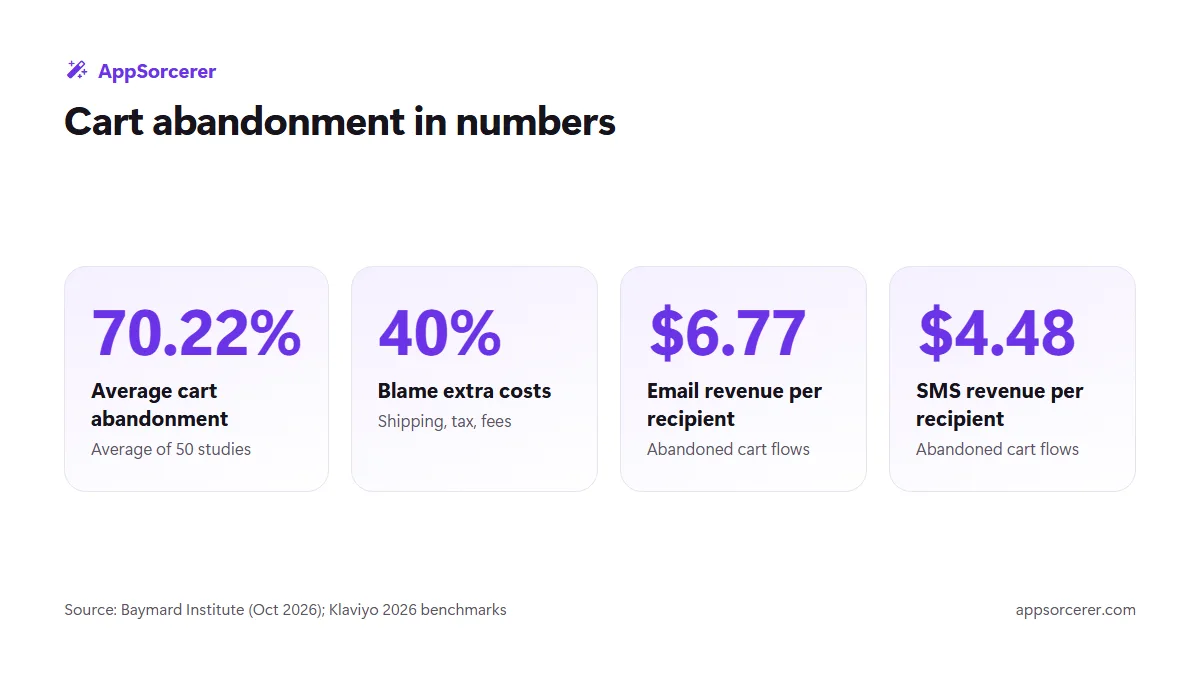
Baymard Institute puts the average documented cart abandonment rate at 70.22%, based on 50 studies published between 2006 and 2025 (Baymard Institute). Some of those shoppers were never going to buy. Many were, and a well-built Shopify store can win a share of them back. This guide shows how to recover abandoned carts on Shopify with the tools you already have, what to add on top, and which checkout fixes stop carts being abandoned in the first place.
Short answer: Start with Shopify's built-in abandoned checkout email, which you switch on under Apps > Messaging > Automations. Then add earlier reminders for carts and product views, a careful discount on the second reminder, SMS or app push for shoppers who opted in, and retargeting ads. Reminders win some orders back, but removing surprise costs at checkout prevents far more losses.
What counts as an abandoned cart on Shopify?
Shopify tracks three different moments, and each needs a different tool:
| Stage | What happened | What Shopify knows | Where to act |
|---|---|---|---|
| Abandoned browse | Viewed a product, added nothing | A subscribed customer and the product | Messaging template |
| Abandoned cart | Added to cart, never started checkout | A subscribed customer and the cart | Messaging template |
| Abandoned checkout | Entered an email at checkout, didn't pay | Email, cart and often the address | Built-in recovery email |
The last one has a precise definition. A checkout counts as abandoned once it has an email address and stays unfinished for more than ten minutes, and it shows up under Orders > Abandoned checkouts. Shopify deletes these records after three months, and recovery emails only cover the Online Store and Buy Button channels (Shopify Help Center).
Why do shoppers abandon their carts?
Baymard's survey of US shoppers found that 42% have left a cart simply because they were browsing or not ready to buy. You can't fix that group, but reminders can bring some of them back later. Set those shoppers aside and the reasons look like a to-do list:
- Extra costs too high (shipping, tax, fees): 40%
- Delivery was too slow: 20%
- Didn't trust the site with card details: 19%
- Had to create an account: 18%
- Checkout too long or complicated: 17%
- Couldn't see the total cost up front: 12%
Notice that the top reason is a price surprise, not forgetfulness. That's why the last method in this guide matters as much as the first six.
7 ways to recover abandoned carts on Shopify
1. Turn on Shopify's abandoned checkout email
It's built in and costs nothing extra. Go to Apps > Messaging > Automations, open the actions menu on Abandoned checkout emails by Shopify, choose Edit settings and tick Send abandoned checkout emails automatically. Pick who receives it under Send to and the delay under Send after, save, then use Customize email to make the copy sound like you. Checkout recovery emails also don't count toward your monthly Shopify Messaging email allowance.
You can also send one by hand. Open a checkout under Orders > Abandoned checkouts and click the customer's email address: your email client opens with a recovery link. Anyone holding that link can continue the checkout, so send it only to that customer.
2. Catch shoppers earlier with cart and browse reminders
The checkout email only reaches people who got as far as typing their address. Shopify Messaging has two templates for earlier exits, Recover abandoned cart and Convert abandoned product browse, and both can go out by email, SMS or WhatsApp (Shopify Help Center). Create them from Apps > Messaging > Automations > Create automation. They need the Basic plan or higher and, for full functionality, the Shopify Flow app installed. By default they only reach customers subscribed to marketing on that channel.
If you'd rather build your own logic, Flow has a Customer abandons checkout trigger, and its ready-made recovery template waits 10 hours before emailing (Shopify Help Center).
3. Use a discount, but not in the first reminder
Shopify's Messaging editor lets you add a discount code to the abandoned checkout email. If you still use the older template under Settings > Notifications, you can add one with a small Liquid edit, and that recovery code replaces any code the shopper had already entered (Shopify Help Center).
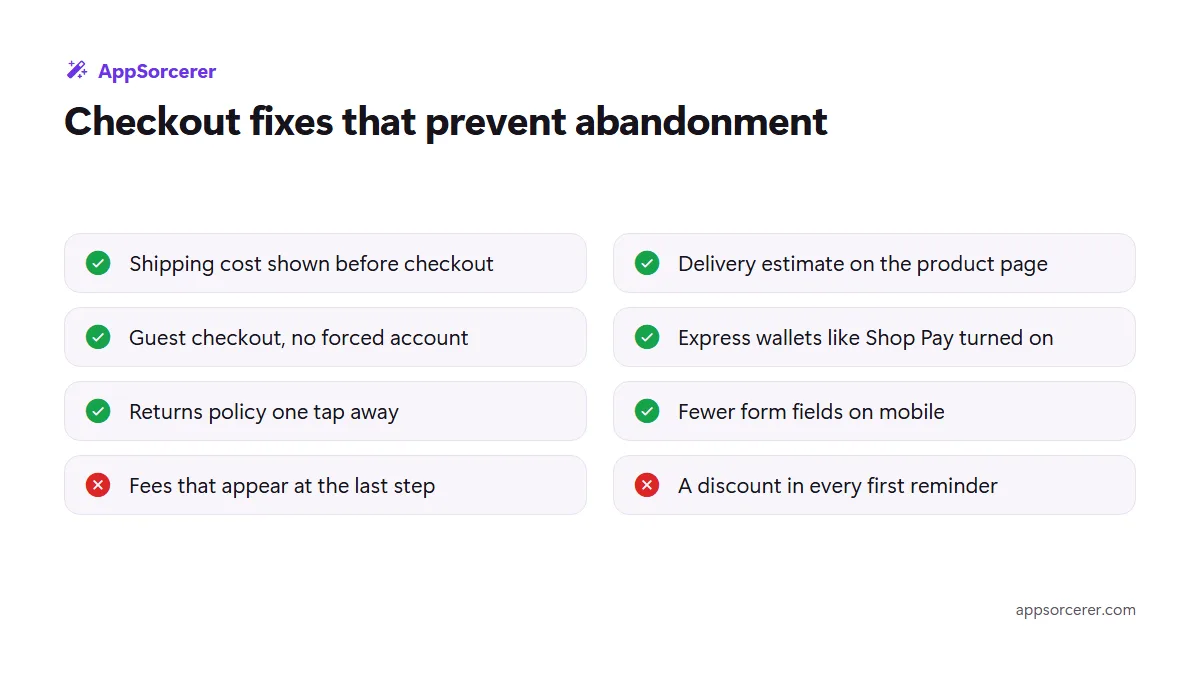
Be stingy with it. A discount in every first reminder teaches regular customers to leave carts on purpose and wait. Send the first message without an offer. If the cart is still open a day later, try free shipping before a percentage off, since extra costs are the top reason people leave.
4. Add SMS or WhatsApp for shoppers who opted in
Texts get read quickly, and Klaviyo's 2026 benchmarks, drawn from more than 110,000 of its customers, show abandoned cart texts averaging a 10.3% click rate against 6% for email (Klaviyo). The same report shows email earning more per recipient: $6.77 on average, against $4.48 for texts. More clicks don't automatically mean more money.
Two practical limits apply in Shopify Messaging. SMS and WhatsApp are billed per message at the rate for the recipient's region (Shopify Help Center). And unlike the checkout email, which you can switch to all customers, they can't be sent to people who haven't subscribed to that channel.
5. Send push notifications from your own app
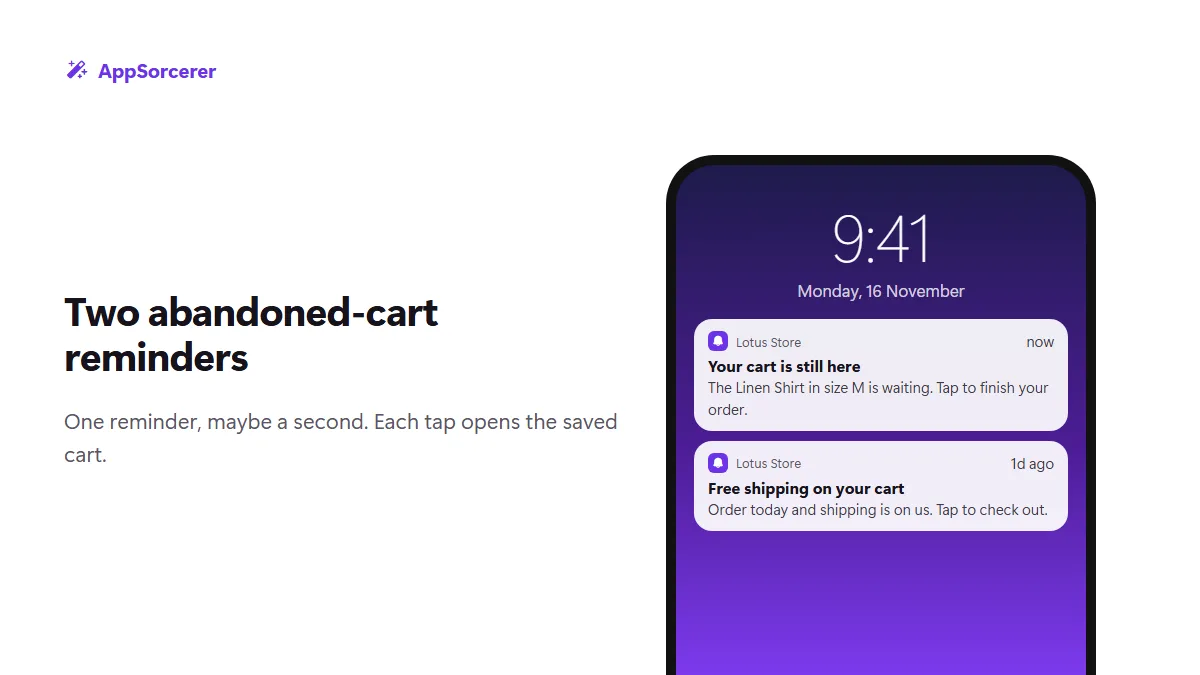
App push lands on the lock screen, doesn't cost per message and can open the saved cart in one tap. The catch is reach: it only works for people who installed your app and allowed notifications. For stores with loyal repeat buyers, that group tends to be the one worth reminding.
Shopify's Shop app does something similar for its own users. Its channel listing promises fewer abandoned carts through automatic push notifications (Shopify App Store), and you can switch Shop's reminders on or off in the Shop channel's marketing settings (Shopify Help Center). Those pushes carry Shop's name, though, not yours.
In AppSorcerer, abandoned-cart pushes come with the Growth plan and up. They work today on development stores; on live stores they start once Shopify approves our access to order data, which is pending. The Shopify push automations guide explains the timing options, and our Shopify push notifications guide covers the other automations.
6. Retarget shoppers with ads
Catalogue ads on Meta or Google can show people the exact products they looked at, and they reach shoppers who never gave you an email address. Three rules keep this from wasting money: exclude anyone who has already bought, cap how often one person sees the ad, and stop after a week or two. Make sure your cookie banner and tracking setup allow it in the countries you sell to.
7. Fix the checkout so fewer carts get abandoned
Reminders recover a share of lost carts; checkout fixes stop the loss. Baymard estimates that a large online store can raise its conversion rate by 35.26% through better checkout design alone. Work through the reasons above:
- Show shipping costs early, on the product or cart page, or set a free-shipping threshold and say so.
- Give a delivery estimate before checkout.
- Don't force account creation. Let people check out as guests and offer an account afterwards.
- Turn on express wallets. Shopify says Shop Pay "converts up to 50% higher" (Shopify); treat that as Shopify's own claim and test it on your store.
- Put your returns policy and trust signals near the payment step.
How do you measure cart recovery on Shopify?
The abandoned checkouts list has Email status and Recovery status columns, so you can see which emails went out and which checkouts turned into orders. The Abandoned checkouts emails report by Shopify, in the Growth section of the admin, adds sessions, orders and conversion figures.
Track four numbers each month: the recovery rate (recovered checkouts divided by checkouts that got a reminder), revenue recovered, the cost of discounts you gave away, and unsubscribes or push opt-outs after each reminder. If you can, keep a small group that gets no reminder for a month. Without that comparison, you can't tell how many of those "recovered" shoppers would have come back anyway.
Frequently asked questions
Does Shopify have abandoned cart emails built in?
Yes, for checkouts. Shopify sends abandoned checkout emails once you turn them on under Apps > Messaging > Automations. Reminders for abandoned carts and product views come from Shopify Messaging templates, which need the Basic plan or higher.
When should the first abandoned cart reminder go out?
There's no single right answer. Shopify Flow's recovery template waits 10 hours, while Klaviyo's sample sequence starts with an email 2 to 4 hours after the cart is left. Pick one delay, measure the recovery rate, then test a shorter or longer one.
Why didn't Shopify send an abandoned checkout email?
Shopify skips the email when the customer has since bought, entered a phone number instead of an email address, or hit a payment processing error. It also skips stores that don't ship to that address, carts with no products left in stock, completely free orders and payments blocked as high risk.
Should every abandoned cart reminder include a discount?
No. Regular customers learn quickly that leaving a cart earns a code. Send the first reminder without an offer, and keep discounts or free shipping for a second message or for first-time customers.
Can I recover abandoned carts without a mobile app?
Yes. Email, SMS, WhatsApp and retargeting all work without an app. An app adds push reminders under your own brand. If that interests you, start free with a test build of your store app, or compare the plans on the pricing page.