How Much Does It Cost to Publish an App on Google Play?
Google Play charges a one-time US$25 fee and no per-app or yearly charge. Here's what Google's 2026 service fees mean for sales, what organisations pay to get verified, and which publishing costs you can skip.
On this page
- How much is the Google Play registration fee?
- Does an organisation account cost more?
- What fees does Google take from app sales?
- Why do store apps pay no commission?
- Which costs are optional?
- How much does it cost to publish a Google Play app with a builder?
- Frequently asked questions
- Is the Google Play developer fee charged every year?
- Can I publish an app on Google Play for free?
- Does Google take a cut of physical products sold in my app?
- How much does a D-U-N-S number cost?
- Do I pay again if I move my app to another developer account?
Most guides lump store fees in with development costs, which makes Google Play look pricier than it is. This guide separates the two. Here's the cost to publish an app on Google Play in November 2026, line by line: what Google charges once, what it keeps from sales, what an organisation pays to get verified, and which extras you can skip.
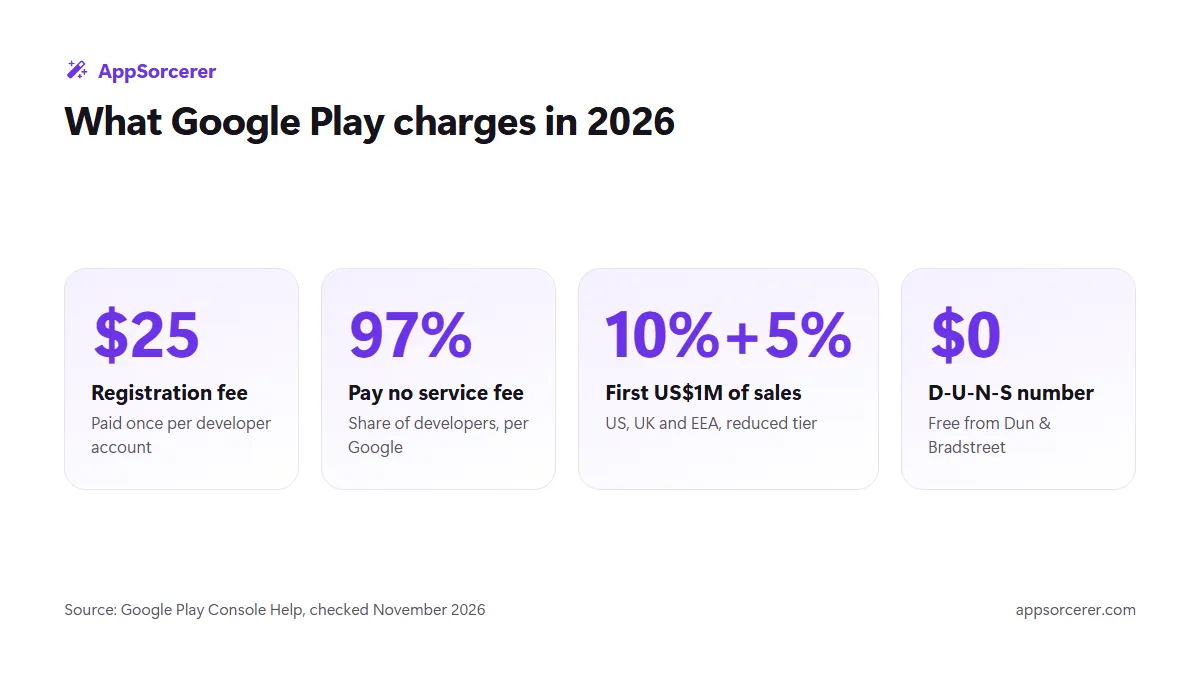
Short answer: Google charges a one-time US$25 registration fee per developer account, with nothing per app and no yearly renewal. Service fees apply only when you sell digital items or paid apps through Google Play's billing, starting at 10% plus a 5% billing fee on your first US$1M in the US, UK and EEA. A shop selling physical products pays Google nothing per order.
How much is the Google Play registration fee?
It's US$25, paid once when you sign up for Play Console (Play Console Help: Get started). You don't pay it again for your second app or your tenth, because the fee belongs to the developer account rather than to each listing.
Three details catch people out:
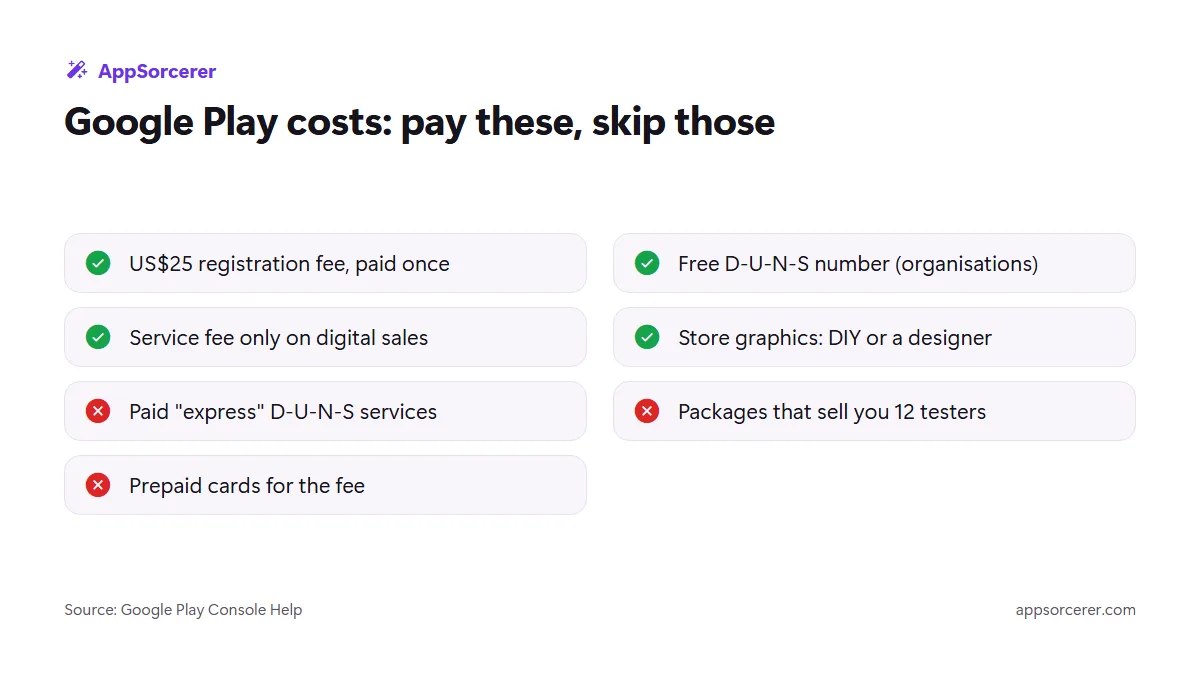
- Card type. Google accepts Mastercard, Visa and American Express everywhere, Discover in the US and Visa Electron outside it. Prepaid cards won't work.
- Use your real details. Google can ask for a government ID and a card that both carry your legal name. If it judges them invalid, you lose the US$25.
- Colleagues cost nothing. Admins and users you invite into the account are exempt from the fee (Play Console Help: Users and permissions). You never need a second paid account just to give your developer or agency access.
Does an organisation account cost more?
Not in fees. Personal and organisation accounts pay the same US$25. What differs is paperwork, and paperwork costs time.
An organisation needs a D-U-N-S number, the nine-digit company identifier issued by Dun & Bradstreet. Requesting one is free. Google explicitly warns about middlemen who charge for it, and notes that a new number can take up to 30 days to arrive (Play Console Help: Required information). Apply a month before you want to launch.
Some apps must use an organisation account whatever the size of the business: financial services, health apps, apps using Android's VPN service and government apps (Play Console Help: Account types). Everyone else can choose.
The real trade-off is the launch calendar. A personal account opened after 13 November 2023 has to keep at least 12 testers opted in to a closed test for 14 days in a row before Google lets the app reach production. Organisation accounts skip that step. The test itself is free, but it adds at least two weeks, and our guide to the 12-tester closed test shows how to get through it without paying anyone.
What fees does Google take from app sales?
This is where most cost articles are out of date. Google rebuilt its service fees in 2026: the new model started on 30 June 2026 for users in the US, UK and EEA, and on 30 September 2026 for Australia and Japan. Every other market keeps the older 15%/30% model until Google extends the change (Play Console Help: Service fees).
| Earnings type | US, UK, EEA, Australia, Japan | Other markets |
|---|---|---|
| First US$1M a year, after enrolling in the reduced tier | 10% + 5% billing fee | 15% |
| Subscriptions beyond US$1M | 10% + 5% billing fee | 15% |
| Other sales beyond US$1M, new installs | 20% + 5% billing fee | 30% |
| Other sales beyond US$1M, existing installs | 25% + 5% billing fee | 30% |
| Physical goods and services | No Google fee | No Google fee |
A few notes make the table easier to read:
- The reduced tier isn't automatic. You enrol from the Associated developer accounts page in Play Console by setting up an Account Group and accepting the terms (Play Console Help: 15% tier). Skip it and the standard rates apply from your first dollar, so do it before your first sale.
- The 5% billing fee is separate. It only applies when a purchase runs through Google Play Billing, which covers in-app digital items and the first purchase of a paid app.
- New apps only see "new installs". Google counts an install as new when the user first installed or updated the app on or after the regional rollout date. An app launched today has no older users, so the 25% column never applies to it.
- Most developers pay nothing. Google says 97% of developers distribute their apps without any service fee at all.
Why do store apps pay no commission?
Google's Payments policy says Play billing must not be used for physical goods such as clothing, groceries or electronics, or for physical services like food delivery and event tickets (Payments policy). A store app that sells products through the shop's own checkout therefore owes Google no service fee on those orders. Your card processor still charges its normal rate, as it does on the website.
Which costs are optional?
Once the US$25 is paid, everything else depends on how you build and ship the app:
- Building the app. Agency quotes vary too much to average, so get several for the same brief. No-code builders charge a monthly plan instead.
- Store graphics. Your listing needs an icon, a feature graphic and screenshots. You can make them yourself or pay a designer.
- Publishing help. Someone has to write the listing, fill in the Data safety form and reply to app review. You can do it, or pay a service.
- Testers. Services sell "12 testers" packages. Skip them: real customers give you feedback Google actually asks about.
- Your time. Google warns that some accounts get extended reviews of up to 7 days, or longer in exceptional cases (Play Console Help: Publish your app). Add that to a 14-day closed test.
How much does it cost to publish a Google Play app with a builder?
With a no-code builder, the monthly plan is usually the largest line on the bill. AppSorcerer turns a website or Shopify store into an Android app, and its prices are simple:
- Free, $0: Android test builds (APK) to install on your own phone, with a watermark.
- Starter, $6 a month: signed, store-ready Android App Bundles for Google Play, no watermark, custom bundle ID.
- Growth, $9 a month: three apps, push campaigns and automations, up to five premium plugins.
- Pro, $29 a month: unlimited apps, every plugin, analytics and priority builds.
- Enterprise: custom pricing with managed publishing and an SLA.
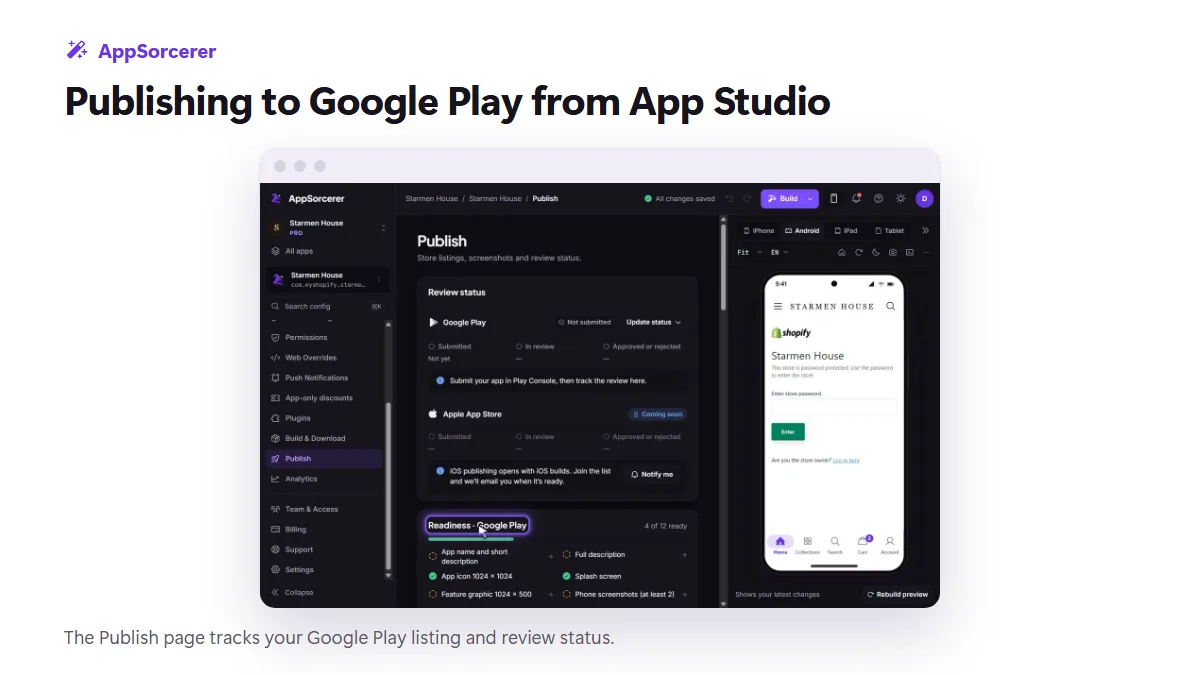
Paid plans start with a 7-day free trial. Apps go out under your own Google Play account, so Google's registration fee is still yours to pay, and the app stays yours if you ever leave. If you'd rather not touch Play Console, the AppSorcerer team can publish for you as a paid add-on; the publishing service page explains what it covers.
Here's a worked example for a small shop. On the Starter plan, a year of builds costs $72. Add Google's US$25 and the first year comes to US$97, with no commission on product orders. From year two, only the plan remains.
Frequently asked questions
Is the Google Play developer fee charged every year?
No. It's a single US$25 payment at registration, and Google doesn't renew it. There's no separate charge for each app you add to the account later.
Can I publish an app on Google Play for free?
Not on Google Play itself, because every developer account pays the registration fee. Google's new limited distribution accounts are free and need no ID, but they're meant for students and hobbyists sharing an app with up to 20 devices outside the Play Store (Android developer verification).
Does Google take a cut of physical products sold in my app?
No. Physical goods and services must be paid for outside Google Play's billing system, so the service fee doesn't apply to them. You only pay your usual payment processor.
How much does a D-U-N-S number cost?
Nothing. Dun & Bradstreet issues D-U-N-S numbers free of charge, and Google warns against third parties that bill for them. Allow up to 30 days if your company doesn't have one yet.
Do I pay again if I move my app to another developer account?
Only if the receiving account is new, since creating it costs another US$25. Google says support can refund the old account's fee if you close that account after the transfer (Play Console Help: Transfer apps).
Want to see what your own first year would cost? Compare the plans on our pricing page, or start free and build a test APK before you spend a cent.